
Help with DVD Recorders
This page contains some basic information on DVD recorders, including answers to some common questions, plus a details on a few UK models
What is a DVD recorder?
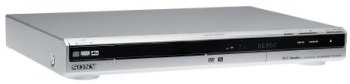
The RDR-GX120S DVD Recorder
The days of the good old VHS VCR (video cassette recorder) are numbered, and we’re slowly moving over to digital for home recordings. A good percentage of users have moved over to a hard-disc recording solution (such as Sky+), but this doesn’t help with archiving, which is where a DVD recorder comes in.
If you want to keep a copy of a TV show, or transfer your old videotapes to DVD before they wear out or get damaged, then moving to a DVD solution to archive your recordings is a good idea.
DVD recorders have dropped in price in recent years, and are surprisingly easy to use.
Standard recorders can record up to two hours onto a blank DVD, but recorders allow you to vary the recording quality to fit more on a disc. Players such as the Sony RDR-Gx120 allow you to squeeze up to 8 hours onto a single DVD, although the quality at the lowest setting is pretty poor.
DVD Formats
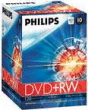 Life’s never easy, and as with VHS and Betamax, we have to make decisions on which format of DVD recorder to record using. Formats out there include: DVD+RW , DVD-RWVR, DVD+R , DVD-R , DVD -RW. Our advice is to get a recorder that supports more than one format, just to play it safe. Our personal preference is the DVD +RW format.
The RW stands for “ReWritable”, so discs can be reused, and +RW discs support automatic ‘finalising’, which means they can be played in most standard DVD players. More on formats.
Buying a DVD Recorder
When looking for a DVD recorder, here are a few things to consider:
- Digital: Make sure any DVD recorder you get has a built-in digital tuner (for Freeview). From October 2012, the UK’s TV is delivered digitally, and recorders with analogue can’t be used to record over-the-air TV from a TV aerial. You should look for a DVD recorder that can cope with digital TV channels.
- Disk formats: There are several different DVD recording formats, and you should give some thought to the format you want to use. If you’re not sure, best to look for a multi-format DVD recorder – one that can cope with different formats. More on DVD formats
- Hard disk recorder? Worth considering if you watch a lot of telly. As a DVD can only hold a couple of hours worth of recordings, a PVR can be used to record lots of hours of telly onto a built-in hard disc. These typically hold 20, 40 or 80 hours of telly, and recorded shows can be burnt onto DVD as needed. PVRs explored
DVD recorders have fallen in price in recent years, and you can pick up a bargain by shopping for your DVD recorder online, saving on high-street prices. Online stores to try include:
Below are a few DVD recorders that have caught our eye:
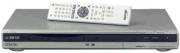 |
Sony RDR-GX120s
The Sony RDR-GX120s is a great general-purpose dual-format DVD recorder, replacing our former recommendation, the Sony GX210. It supports DVD+RW , DVD+R formats, can be set to record 40 events, uses Smartlink (with supported digital TVs), and has a number of quality settings to squeeze from 1 to 8 hours recording time from a single 4.7Gig DVD. The GX120 is available for upwards of £140 from Amazon and Currys. |
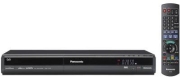 |
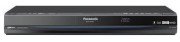
Panasonic DMR-EZ28EB-K DVD Recorder/Freeview
Top quality DVD recorder with built-in Freeview tuner and HDMI upscaler, for better picture.
Output: 2 x SCART , RF loopthrough Available for £179.99 from Currys |
  |
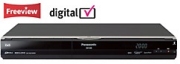
Panasonic DMR-XW380 EBK – DVD and HDD Recorder
Storage: Freeview HD, 250GB Hard Drive Features: DVD Recorder with Twin Freeview HD tuner, Freeview +, High Speed Archive to DVD, SD transfer, DivX, MP3 and JPEG playback
|
  |
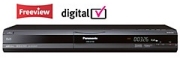
Panasonic DMR-EX78 DVD Recorder/PVR/Freeview
250Gb HDD Recorder (for up to 441 hours), Freeview Tuner and DVD recorder.
Output: 2 x SCART , RF loopthrough Available for £259.99 from Argos (Cat no: 085/1077) |
 |
Panasonic DMR-Ex88 DVD Recorder/PVR/Freeview
400Gb HDD Recorder (for up to 700 hours), Freeview Tuner and DVD recorder.
Output: 2 x SCART , RF loopthrough Available for £391.29 from Argos (Cat no:085/1084) |
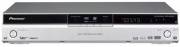 |
Pioneer DVR-540HX-S With PVR and Freeview
160Gb HDD Recorder (for up to 455 hours), Freeview Tuner and DVD recorder.
Analogue and Freeview digital tuners. Live pause, high-speed copy. MP3 and JPEG compatible. Available for £315.99 from Amazon. |
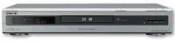 |
Sony RDR-GXD310 – With Freeview
Freeview receiver and DVD recorder combined. Supports DVD-R, DVD-RW, DVD+R, DVD+RW, DVD video, CD, CD video, CD-R, CD-RW and MP3 playback compatibility. Outputs: 2 x SCART, S-Video In/Out, Analogue AV In/out, Digital audio. Available for £229.99 from Argos (Cat:085/0267) |
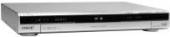 |
Sony RDR-GXD360 – With Freeview
Features: Freeview receiver, 8 day programme guide. Supports DVD+R , DVD+RW , DVD-R , DVD-RW as well as MP3 and JPG. Available for £199.98 from Currys |
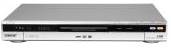 |
Sony RDR-HXD560 – With PVR and Freeview
Features: Freeview receiver with 80 Gig hard disk and a DVD Recorder. Output: 2 x SCART, S-video, digital audio. Available for £329.99 from Argos (Cat: 085/0360) |
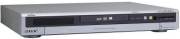 |
Sony RDR-HXD710 – With PVR and Freeview
Features: Freeview receiver with 160 Gig hard disk and a DVD Recorder. Output: 2 x SCART, S-video, digital audio. Available for £378.95 |
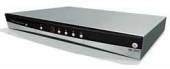 |
Wharfdale DVDRHD400– With PVR
Features: 80 Gig hard disk (up to 111 hours recording) and a DVD Recorder. Under £100! |
Prices, specifications and offers are subject to alteration. Refer to the websites that we link to for latest prices, information
and conditions
Frequently Asked Questions
| Connecting your recorder | If you’re having trouble connecting up your DVD recorder to your TV, to Sky or to a Freeview or Virgin Media box, see our TV Connection Help section for some general advice (including our interactive TV Connection Advisor).
Also check out the rest of the questions in this section. If you still need help, try asking in our forum – include details of the exact problem you’re getting, what connections you have on your equipment, and what you’re trying to achieve. |
| Recording Freeview, Sky or Cable onto a DVD recorder | We’re often asked for help with recording the output of Freeview, Sky Digital, Freesat, BT Vision or Virgin Media onto DVD.
Here’s some help to get you started:
Set-top box to DVD:This section helps those connecting a set-top box to a DVD recorder (see below for TVs with Freeview).
You’ll need to set the recorder so that it can ‘see’ and record the output of the set-top box. Here’s how:
Freeview on an Integrated Digital TVMany new digital TVs have built-in digital TV receivers capable of receiving Freeview (The are known as IDTVs – integrated digital TVs). It seems that each model has differences, so we can’t offer all the answers in this small section, but the information here should be enough to help point you in the right direction:
Your best bet is to check the TV’s manual – it’s bound to have something about how to record the digital channels. If you still have no joy, try contacting the manufacturer of your TV to check whether it’s possible to record Freeview with your model. If you still have no luck, post a message in our forum, including the model numbers, how you’re connecting, and what problems you’re getting, and one of the regular visitors should be able to help. |
| Discs | As outlined, there are several different DVD formats out there, and you need to buy blank discs that match the supported format of your recorder. Note that RW stands for Re-Writable. Here’s a quick summary of the formats:
Our disc of choice is the Philips DVD+RW. These re-recordable 4.7GB DVD discs take 120 minutes of standard-quality DVD recordings (or more if you select a lower recording rate). These are available from outlets such as Currys. You can also get blank DVDs from online retailers Misco, Maplin and Amazon.co.uk |
| Timers / Timed recordings | Most (if not all) DVD recorders offer some kind of timer facility, similar to a video recorder, so you can set a show to be recorded while you’re out, or watching another channel. The options are normally manual, VideoPlus or selection from an on-screen Electronic Programme Guide, depending on the model.
If you’re keen to find out how the timer facility works on a model you’re considering buying, perhaps download the manual online from the manufacturer’s website, and explore the features in more depth. |
| Copying videotapes to DVD | Many people are now transferring their old VHS video cassette collection over to DVD – partly to prevent deterioration of videotape, and partly as video recorders are no longer being sold by places such as Dixons.
Just about every DVD recorder is capable of recording via a Line In socket, so it’s a case of:
Note that DVDs typically hold 2 hours worth of video at standard resolution, whereas a videotape holds 3-4 hours. With many machines, it’s possible to alter the recording settings, to get more DVD recording time at the expense of quality. In many cases, this can be fine for archiving old TV shows from VHS cassette. Refer to your DVD recorder manual for ‘Recording Mode’ or something similar, for details of how to alter the recording quality that we can record at. At the time of writing, our favourite DVD recorder is the Sony RDR Gx120 – this supports recording of up to 8 hours on a single DVD. For more on archiving your video tapes, check out Show 21 of our audio show, FrequencyCast, or see FrequencyCast’s Archiving your Media page.
|
| Digital Switchover | As you probably know, the UK completed the Digital Switchover in October 2012, when the old analogue TV service was turned off. If you want to record TV on a DVD recorder, you need to get a DVD recorder that supports digital TV (i.e. Freeview).
But what about if your existing recorder doesn’t have a digital recorder? Well, the good news is that most (if not all) DVD recorders are able to make recordings of content via their “Line in” sockets – So, for example, you can connect a Freeview set-top box to your DVD recorder via a SCART lead, set your recorder to “Line in” and record the output of your Freeview box onto DVD. Not having a built-in digital tuner will make it harder to make recordings, as you’ll have to remember to a) set the DVD to start recording the “line in” at the right time, and b) make sure that the Freeview box is switched on and tuned to the right channel. Slightly more tricky, but still fairly straightforward. |
| DVD with hard disk recorder | If you’re looking to get a digital recorder, you may want to consider getting a combined DVD / HDD recorder. Basically, this is a hard-disk recorder (think Sky+) that also has a DVD recorder. This allows you to record TV onto the built-in hard disk, and burn recordings onto DVD if required. There’s more on our page dedicated to hard disk recorders. See: Recording telly with a PVR.
|
| Built-in Freeview | We’ve been asked by a visitor to our podcast site, FrequencyCast, whether it’s worth considering getting a DVD Recorder with a built-in Freeview receiver, or getting a stand-alone Freeview box, and connecting it to a DVD recorder. Here are the pros and cons:
|
| Finalising | Discs recorded on a DVD recorder in some formats need to be “finalised” after recording. This sets the disc in such a way that a standard DVD player sees the disc as being ‘complete’. Different disc formats handle finalising differently:
|
| Problem with discs | If you’re experiencing a problem with playback of discs, here are a few things to check:
|
| Problems with your recorder | If you’re having problems with your DVD recorder, here are some suggestions of things to try:
|
| Multi-region? | Most DVD recorders are region-coded, to prevent viewing of DVDs from other regions around the world (all to do with copyright protection in different parts of the world). Make sure you get a machine that’s appropriate for your region. There more on the subject of DVD Regions in our Glossary. Please do not contact us regarding chipping / hacking of DVD recorders, or trying to bypass a DVD recorder’s region or copy protection. Note that region coding doesn’t affect recordings that you make on a DVD recorder – so if you record something yourself from the telly or a copy from a VHS tape, it’ll play back on a machine that’s in a different region. |
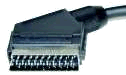
 Set your DVD recorder to the SCART input using the
  .
.
Can a dvd player play cd discs?
Most modern DVD players can play back an audio CD, but not all. You’d need to check the spec of the machine in question to double-check
does any recorder allow you to copy a dvd film or a data file on a dvd onto a recorder. so i don’t have to keep swapping dvds of my favourite films
I recorded some videos on a DVD-RAM using the DVD recorder, I could play any of the clips perfectly. Later, when I was trying to change the Sky box-VCR-DVD-TV connections to be able to record from VCR onto the DVD, I tried to view the previously recorded DVD, the recorder shown the message asking me to format the disc, which was strange. I reverted all the connections as they were when I was able to watch that DVD, but no joy. I could not view my recorded content sibce then. What could have happened….the same recorder…the same DVD…previously working..but not any more??
I have a Panasonic dvd recorder EZ28EB but the remote no longer works. Batteries are fine and have tried the “hold 1 & ok at the same time” procedure to synch but still doesn’t work…I bought a replacement remote but same problem persists. The main unit sensor is receiving signals as when I try a secondary remote “dvd 2” flashes on the screen. Is there somehow I can restore factory settings from the main unit as, as things stand the recorder is absolutely useless as everything is controlled via the remote
Try disc in another dvd ram compatible player (Panasonic)
My “Durabrand” model: LEDVDR0702 worked many years good but now it can not formating any DVD.Is posible ifection machine with some virus.
I have a panasonic dvd recorder with freeview, I need to partial delete a particular recording but whenever I try to partial delete a specific recording but when I try it gets to a certain point 1hr 18min I start the partial delete but when I tried to continue from the point Ive said earlier the recorder just froze and wouldn’t accept any commands eg. start pause etc then within minutes it will suddenly shut down and go into standby, I have partially deleted other recordings so why can’t I do it with this one, I cant even play it past this properly as it does the same thing. I hope someone can help as I am trying to record a series of something and its not available on demand so if its unable to be edited I may as well not bother as this recording holds 2 episodes
I have a Panasonic DVD Recorder Model DMR-EZ28EB that will not accept a disc, telling me the disc is damaged./scratched even a brand new one get the same message. On the Recorder screen appears the number 061, whats gone wrong and can it be sorted without a great cost?
I need a simple DVD recorder for my 92 yr old grandpa. Want a simple one that just records and doesn’t do loads of stuff that confuses him. Any advice please. Even if it records to hard disc and I can copy it off for him later that would be fine.
I have a LG DVD recorder and recently when I try to record, the recording has large ‘pixels’ on the recording and sometimes the playback stops. I’ve tried cleaning the lens and the discs. Any advice on what is causing the marred recordings. Seems to occur when I near the end of the disc, i.e. about one hour of recording left.
I cannot record on to dvd +rw disc, with my Panasonic dmr pwt 655.
I+bought+second+hand+recorder+Vivax+DFVD+r-300+but+withoit+manual.When+I+try+record,it+recognize+inserted+disc+but+when+press+”rec”+answer+is+”wrong+format”+although+I+set+all+parameters+correctly.
I+please+for+help+if+somebody+can+send+to+me+copy+of+manual.
Also,please+fo+information+about+offer+new+DVD+recorders+in+UK.
I bought second hand recorder Vivax DFVD r-300 but withoit manual.When I try record,it recognize inserted disc but when press “rec” answer is “wrong format” although I set all parameters correctly.
I please for help if somebody can send to me copy of manual.
Also,please fo information about offer new DVD recorders in UK.
I can correctly set the timer on my DVD/Hard Drive recorder from the TV guide. However every so often the recording overruns by anything up to 2 hours or so. Why doesn’t it automatically stop recording at the end of the programme?
I have recorded radio programmes onto the recorders hard disc. Can I transfer these to a CD as mp3 files?
I have been trying to do that all day! No progress at all. Tried everything…
pwllheliATgmailDOTcom
Hi – all I want to do is transfer some programs from my sky+ box to DVD, from what I’ve read it sounds straight forward, however I’m no longer with sky so cannot playback. If I select the program on the sky+ box is it still transferable to to DVD or does the program need to be playing in real time.
Any help would be appreciated