
New to Freeview? Here are the Basics
 Freeview is a Digital TV service that allows you to watch over 40 extra channels via your TV aerial.
You don’t need a satellite dish, and there’s no subscription charge – all you need is a Freeview set-top box, or a telly that has a built-in Freeview receiver.
This page is aimed at people looking to switch over to Freeview, and provides a basic guide on how to get and start watching Freeview.
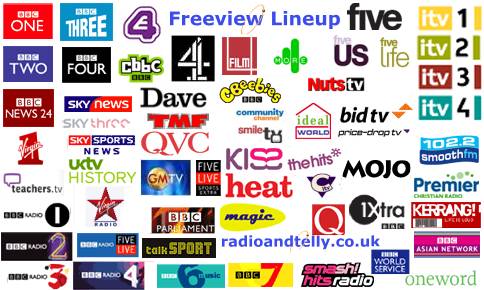
For information on what channels are available on Freeview, see our Freeview Channels List
Freeview: 5 things you need to know:
- Freeview uses a TV aerial to get TV channels – As long as you’re in a good reception area, you should be able to
view over 40 TV channels and around 20 radio channels. - You don’t need to get a new TV or have a satellite dish installed to get Freeview.
- You can get a Freeview receiver box for around £20. Most new TV sets and DVD recorders come with a built-in Freeview receiver.
- There’s no subscription fee with Freeview. If you want more channels, there are other services that offer more than Freeview (such as Sky, YouView, Freesat or Virgin) – See our Digital TV Compared chart.
- The old analogue TV service was finally switched off in October 2102 (See: Digital Switchover). Now, Freeview is how most people will watch free TV.
How to get Freeview:
Step 1 – Check your coverage |
Freeview uses a TV aerial to get TV channels. The service is broadcast
over the air in a similar way to the standard five TV channels, but uses newer digital technology to offer more channels.
To get Freeview, you have to be in a Freeview coverage area. Not all of the UK can get Freeview yet.
To check if you can get Freeview, enter your
postcode at www.digitaluk.co.uk/postcodechecker.
Step 2 – Get a Set-top box or Digital TV set |
If you are in a Freeview coverage area, you’ll need to get a Freeview box (or a TV set with Freeview built in). Freeview boxes are the cheaper option – They connect to your existing TV set or recorder, and you plug in your normal TV aerial.
 Boxes can be purchased for a one-off fee, starting from around £20 for a basic box. They can be bought from high-street stores such as Currys, but shopping online for a set-top box is often the best route, as there are some good bargains to be had.
What to consider when buying a Freeview box:
See our Freeview set-top box list for a look at what’s available |
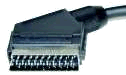 Connectivity: Almost all boxes have a single SCART socket as standard, for connection either
Radio and Telly’s Freeview Quick Picks |
||
 GOODMANS GDB18FVZS2: Basic box with 2 SCART sockets. Amazon / Currys £25 GOODMANS GDB18FVZS2: Basic box with 2 SCART sockets. Amazon / Currys £25 |
 BT YouView: Freeview HD recorder plus on-demand content. BT YouView: Freeview HD recorder plus on-demand content.More info: get.youview.bt.com |
 Humax PVR-9300: Includes a hard-disk recorder that holds 160 hours of TV. Currys £152 Humax PVR-9300: Includes a hard-disk recorder that holds 160 hours of TV. Currys £152 |
Step 3 – Connecting a Freeview Set-top box |
 Once you have got your new Freeview set-top box, you’ll need to connect it the
aerial. Unplug the aerial lead (the one that runs up to your roof/loft TV aerial) from the back of your TV, and plug this lead into the ‘aerial in’ socket on the Freeview box.- You now need to connect from your Freeview box to the TV. If your TV has a SCART socket, connect from the Freeview box to the TV via a SCART lead. (No SCART socket?).
 The next step is to tune your TV into the Freeview box channel. Switch on
your TV and your Freeview box. If connecting with a SCART lead, then you should switch your TV to the “AV”, “Aux” or “Line in” feed. If you’re not connecting with a SCART lead, you’ll need to tune your TV into the output of the Freeview box, in the same way you’d tune in a standard TV station. Refer to your TV manual for details on
how to do this.- With the box connected, you’ll need to scan for Freeview channels. Go to the Freeview box’s onscreen menu, and perform a “Store channels”, “Channel tuning” or “Add channels”.
The box will scan for Freeview channels (may take a couple of minutes), and then show you what it’s found.
That’s it – Happy viewing!

Freeview Problems?
- Answers to Freeview reception difficulty and connection problems can be found on our Freeview Help and Advice section.
- If your question isn’t answered, please leave a message in our Freeview forum

I have a Samsung smart tv with preview. I used to be able to receive film4 on preview channel 15, bot now it is not available, I also have the same problem with an LEG tv in my bedroom. How can I resolve this, bearing in mind I am not technically minded.
why does freeveiw keep showing repeats
my freeveiw television loses sound and freezes about 30 seconds then goes blank the picture comes back it might happen again then it is ok. any suggestion ?. thank you.
Could you please let me know the channel broadcasting …
“Im not smarter than a ten year old”
Many thanks.
Do I need to connect a Free view to my PC to be able to record programmes while watching another channel ?
I can’t get channels 81 and 82 this is despite retuning auto and manual
Thanks a lot for such useful and helpful information. keep it up, thanks