
Information on digital TV and radio in the UK › Forums › Internet TV › Internet images and converters
Tagged: change extensions, check images, ecosia.org, edit image URLs, file managers, improve picture quality, Irfanview program, loadify
- This topic has 19 replies, 1 voice, and was last updated 2 weeks, 2 days ago by
denismartindale.
-
AuthorPosts
-
-
5 June 2024 at 1:03 am #3346
The eBay website is just one example of how the webp image format has been used and yet we can’t all see the images in some File Managers or Explorers. The Irfanview program and its thumbnails viewer can display these and the batch option can convert to jpg, gif or png instead. The webp is highly compressed and the png is a much larger file size without getting compressed while the jpg can be set to 80% picture quality. We can crop images or edit the images for brightness and colour and sharpness or blur or soften.
http://www.irfanview.com and also download the extra plug-ins from the website itself.
The http://www.nakedbrowser.com website can display a series of numbered images that some websites provide. So a whole gallery of images may be a numbered set and we copy the first image URL eg image001.jpg and paste that on the http://www.nakedbrowser.com website so we can simply click next to see image002.jpg and so on. The Android devices can copy these images and save the files eg to the Download directory or set the web browser to save files to the SD Card or USB device instead.
Some web browsers can install the loadify app or add-on or extension so we can download hundreds of a web page’s images on our computers. Other image downloaders are worth testing as well. So explore the web browser’s settings and menu options for extensions and so on.
Otherwise, try the Google Play Store and other installers of apk app files.
It’s worth installing different web browser apk files just to see what they can help us do on the Internet.
-
5 June 2024 at 1:14 am #3347
Some Android devices save to the Download folder which is part of the main storage. So a large number of images can get saved there using apps such as PictPicks which is a separate image search app. The file Manager programs may be able to save the Download directory to the SD CARD or USB drive. We can rename that copied folder as Download001 and repeat the process for a second collection of images or videos. We use a File Manager such as ES Explorer to highlight the files in the original Download folder then delete these to start over for a second set of downloads. The copied file then gets renamed as Download002 instead. Then we go back to the original folder to delete the content again. It’s helpful when downloading several images of the same content rather than delaying and having to separate dozens of downloaded files.
Other File Explorers and File Managers are worth testing as well and especially if these allow us to create new folders and change file names or extensions such as jpg and gif and png.
Check for specific apk files and their version numbers and if for the current Android version number, too.
By the way, 360 Security with the large S image ID is helpful as we can delete lots of useless junk files to get extra use of storage space. It also runs boost and antivirus checks.
-
6 June 2024 at 1:51 pm #3350
Thanks to getting emails about Android devices and updates I was alerted to yet another Internet resource. A free-to-use photo editor with lots of impressive features as well as the extra options called plug-ins. So I visited photopea.com and did some exploring. I’ve seen fancy editing programs and freebies before so I expected the same complicated ways to edit a basic picture like I’d ever learn how to do it if I had the extra time…
So I learned that the plug-ins included a dezgo.com text-to-image option. We visit that website then create a writing text prompt to make a new image. We right-click and copy it to the computer clipboard. We visit the photopea.com website and use the paste image option to get that there as well. We can edit the image such as I did with the crop image tool. I could then export that image as a jpg or png image to save it on my computer that way.
Another option is to load an image from the computer itself and test what features or plug-ins will be useful. While I prefer to save using the high quality big filesize image format png, there is a compressed image option to test called webp which is still worthwhile if using images for websites or on quora.com for their topics of interest.
The dezgo service has several photo-realistic options worth testing and we can repeat our image tests just by running the editor again or changing the text by adding more details in the descriptions.
EXPLANATIONS:
Source theintelligence.com
Edit images on the web in seconds
Normally, editing images requires paying money and installing software — or at least messing with accounts.
But there’s an excellent web-based image editor you can pull up in just seconds on any computer — it’s a great tool to bookmark so you have it whenever you need it.
It’s called Photopea, and it’s a powerful free tool that many of our readers have recommended.
You can get started in just a few seconds — but you can spend a lot more time in it editing images, if you like!
Photopea is simple to get started with. Just head to the Photopea website. (The first time you load it, you’ll want to click the “X” in the top-right corner to hide the welcome banner.)
Then, you can get started immediately — you don’t have to create an account or anything like that. Just choose the “Open From Computer” button and provide an image. Or, you can drag-and-drop an image from your computer’s file manager onto the Photopea page.
continued…
You’ll get an image-editing interface that will look immediately familiar if you’ve ever used Adobe Photoshop.
Photopea is packed with powerful tools that are normally found in desktop image-editing tools — many of which are paid. You’ll find layers, filters, a clone stamp for touchups, background removal, and even batch-resizing and batch-image-conversion tools. Then, you can use File > Save when you’re done. Photopea also has some detailed help pages if you’re interested.
continued…
It’s like having a Photoshop-style image editor always a few seconds away — for free, usable without signing in, and without any software installation required. What’s not to like? It’s a gem.
You can use Photopea on its website in your browser. (It works on both desktop and mobile browsers, but the desktop experience will work best.)
Photopea is free with ads. You can sign up for an account and pay $5 per month to remove the ads and get access to AI photo-editing tools, if you like.
Photopea’s privacy policy says all your photos are stored on your device. It also doesn’t need an account.
-
6 August 2024 at 5:35 pm #3449
If I get the http://www.ecosia.com website to load up on one of my web browsers, I can search for images accessing http://www.ecosia.org as a search engine. It’s similar to a Google image search but there’s a quick way to save images. The first image displays, click on it to open that display on the right or middle. Click Visit image and it displays. The top part of the web page could have a simple SAVE option. I get this using the Yandex web browser. I click save and it gets saved without my naming the file. It gets added to the Download Folder I selected. I click the top left left arrow to get back to the images and click the next image. The process gets repeated unless blocked by the website it’s on or we must use the right-mouse button to save the image as usual. In this situation, we could use the save as PNG or WEBP image options rather than the JPG option. It helps to check a web browser for its image options using add-ons or extensions…
Google can be used if the right-mouse option show Search image using Google as that provides extra websites and their different image sizes, too.
-
16 February 2025 at 1:07 am #4740
When we use the Search for image using Google, we can get exact matches for the images and then see the dimensions listed for the website links. If we visit some of these websites they may include size options that are well over the 1920×1080 PC screen size so if these very large images are superior and worth downloading we may get extra options to crop some of these to smaller sizes and reduce the file sizes that way. Or we may use image converters to compress jpg and png images to the webp format and get even smaller images which will load better if these are uploaded to our websites or hosted for us elsewhere.
Some AI websites may help with the editing as well.
-
16 February 2025 at 1:16 am #4741
Reminders:
The eBay website has image options from 64 pixels to 1600 pixels. It uses s-l64.jpg or we manually edit the URL to got to s-l64.png or s-l64.webp. NB that’s letter s – letter l and then switch to s-l1600.jpg or png or webp if these help to study images before we buy the items.
Other websites may have image.jpg?w=640&h=480 and sometimes we can edit these to increase their display size and file size options. The image may state w or width or h or height and images can be called small or thumb or medium or large or original so we may test what these changed values will display, too.
Some web browser extensions or add-ons can help load and save a whole web page set of images but these may be just the thumbnails, but we can edit these URLs later.
-
16 February 2025 at 11:14 pm #4747
Save time and money using different web browsers?
Some websites will show an image as part of a selection of results. We may click the image to get a zoom-in view. At times, the click action or double-click action may not zoom-in but got to the next html web page and its image. So this is a different slideshow option to test as it speeds up the displays for us.
Some Android web browser apps such as Google Chrome let us click and hold on an image to see the menu that includes save image. This action may lead to an automatic save and speeds things up that way just as long as the screen message confirms image SAVED or image COMPLETED.
With some web browsers, the Android options may help us redirect saved files to the external sdcard or sda1 USB drive, other the files get saved on the set-top boxes internal drive until we move these to external devices.
-
22 March 2026 at 2:37 pm #5291
Irfanview has an extra feature to Auto-Correct an image and this improves the dark images sometimes or we repeat the action to test if better or not. The Undo Editing option can return to the previous version if better.
Internet formats are tricky and there’s yet another video besides the ts and mp4 and that’s avif videos.. The nirsoft.net website has a SEARCH option for programs such as MZCacheView.exe. I do you the Google search option on that webpage: tppe in site:nirsoft.net CacheView and see the different programs and instructions. Save as Bookmarks or Favourites. There’s also an ImageViewer to test. Even so, the CacheView programs use filter Options such as text/html or images or Videos and Application files such as css. So we can select which to display and then reset the important columns for URL, website, filename format, cache name, etc.
The really small file sizes for images are the webp ones and the really larger files are the jpg or jpeg, and the larger still formats are the png and bmp ones. I set png to 0% compression. Resizing options allow us to set the DPI quality from 72 up to 2000 for better quality versions we can store on external hard drives.
Irfanview may be able to extract separate frames from videos and animations, too.
I use a classic photo editor called Paint Shop Pro 5. I also use Animation Shop and can view animations and set frame property options and sizes or view animations in larger sizes instead.
I have seen websites such as etsy having quik view and colour change options and video animations in the left side set of images.
LOTS of utility/tool programs.
-
18 May 2026 at 7:58 pm #5629
The internet Movie Database has lots of film details including new films for 2026 and the Supergirl search showed an image gallery. The Loadify (bear pic) app showed a few images and their URLs, too

-
8 June 2026 at 3:46 am #5721
Reminder:
Some Internet images don’t have the correct format, so a JPG or JPEG may be a WebP, GIF, PNG, or even an MP4 video file.
The webp and webm files may be single images or animated images, and these have to be tested separately, such as with the Irfanview program. Images are detected, and we are asked to rename them if possible.
Temporary Internet caches may have filenames without the extension, such as f_123456, rather than f_123456.jpg, and Irfanview can help with them. Otherwise, use a rename option that some File Managers offer for single or bulk rename options and extensions. The search and replace option helps change the f_ part of a filename. This could be useful for several images at a time.
Some images are displayed with details such as width, height and percentage image quality. We can improve images by using the extension conversion if we change them to the PNG format instead. When eBay offers us the WebP image, we can edit the URL to .png and get better quality results.
-
5 July 2026 at 3:19 pm #5833
It’s for image creators and AI images, too. Sometimes we can increase the width, height and quality values and the results can be very impressive upscaled images.
Other websites let us edit such values so we may get better results or we can visit here to search for images on other websites eg exact image or similar image.
I prefer to test image results using this website search:
http://www.ecosia.org and to get all the images using the Loadify (BEAR image) sescanning of a website. It’s a better way to save a complete website’s web page completely for its images.
chrome-extension://kbohbdnooimgjlohmicjmoagppjdcbam
-
This reply was modified 2 months, 2 weeks ago by
-
This reply was modified 2 months, 2 weeks ago by
-
5 September 2026 at 1:03 am #4708
WHICH FONTS WORK FOR YOUR TEXT?
I discovered a website that lets us download free fonts and gives us a text demo and different colours for the font and the background as well.
Test images using font demo displays on fonts.download and also notebook-online.co for extra help converting text input there into an image…
Free fonts and text demos: http://fonts.download
:::
A very helpful online text editor: http://notepad-online.co
The free website service offers us a notepad website featuring plain text or rich text that maintains the text layout as saved in the RTF files on our computers.
It’s useful because the notepad-online.co website keeps the file available if we don’t clear the web browser cache files for websites and their images.
To test the resources for my text, I used an earlier Wordpad file’s text and pasted it to a different website that featured free fonts.
http://fonts.download/font/lora-4
NB Click Image Generator.
When I had downloaded the zip file it downloaded the LORA fonts, so all four were installed for the Wordpad Classic program. When reaching the final stages of the text copied there I noticed I could add an image stored on my computer if I used the website PNG image download for the text I had edited. So I saved a few copies for later.
Once I had tested the notepad-online.co website, I wanted to add the image created by the font website as it displayed the text in a certain size and green colour and dark green background colour. As I had already downloaded the image on the font website, I checked my downloads and found the image URL was a data style image URL and I copied it and the image appeared in the notepad test display. So as long as we know the image URL we can copy it and add it in the Rich Text display.
The font display image shows LORA using bold and italic as my favourite font choice because it uses customised versions of several letters and numbers in their combined styles.
Then there is an EXPORT option such as saving the whole web page as an HTML web page or as a PDF file or as a complete image instead. So I edited the HTML web page title to show the notebook website name and the extra info at that time.
-
5 September 2026 at 1:03 am #4713
Take Note of a Font and how it can improve your way to get and keep info even on the Internet but remember to make some email copies, too.
WHICH FONTS WORK FOR YOUR TEXT?
I discovered a website that lets us download free fonts and gives us a text demo and different colours for the font and the background as well.
Test images using font demo displays on fonts.download and also notebook-online.co for extra help converting text input there into an image…
Free fonts and text demos: http://fonts.download
:::
A very helpful online text editor: http://notepad-online.co
The free website service offers us a notepad website featuring plain text or rich text that maintains the text layout as saved in the RTF files on our computers.
It’s useful because the notepad-online.co website keeps the file available if we don’t clear the web browser cache files for websites and their images.
To test the resources for my text, I used an earlier Wordpad file’s text and pasted it to a different website that featured free fonts.
http://fonts.download/font/lora-4
NB Click Image Generator.
When I had downloaded the zip file it downloaded the LORA fonts, so all four were installed for the Wordpad Classic program. When reaching the final stages of the text copied there I noticed I could add an image stored on my computer if I used the website PNG image download for the text I had edited. So I saved a few copies for later.
Once I had tested the notepad-online.co website, I wanted to add the image created by the font website as it displayed the text in a certain size and green colour and dark green background colour. As I had already downloaded the image on the font website, I checked my downloads and found the image URL was a data style image URL and I copied it and the image appeared in the notepad test display. So as long as we know the image URL we can copy it and add it in the Rich Text display.
The font display image shows LORA using bold and italic as my favourite font choice because it uses customised versions of several letters and numbers in their combined styles.
Then there is an EXPORT option such as saving the whole web page as an HTML web page or as a PDF file or as a complete image instead. So I edited the HTML web page title to show the notebook website name and the extra info at that time.
-
5 September 2026 at 1:03 am #4718
Combine two resources and gain from both…
You can take note of a Font and how it helps improve your way to get and keep info even on the Internet… but just in case, remember to make some email copies, too.
WHICH FONTS WILL WORK FOR YOUR TEXT TESTING?
I’ve discovered a website that lets us download some free fonts and yet it gives us a text demo and with different colours for the font and the background.
Yes, you can test images using font demo displays on fonts.download and also notebook-online.co for extra help converting text input there into an image…
Test free fonts, text demos, different colours: http://fonts.download
:::
Here’s a very helpful online text editor: http://notepad-online.co
This free website service offers us a notepad website featuring plain text or rich text that maintains the text layout as saved in the RTF files on our computers.
So it’s useful because the notepad-online.co website keeps the file available if we don’t clear the web browser cache files for websites and their images.
When I tested the resources for my text, I used an earlier Wordpad file’s text and pasted it to a different website that featured free fonts.
LORA FONT: http://fonts.download/font/lora-4
Visit and Click Image Generator.
When I had downloaded the zip file it downloaded the LORA fonts, so all four were installed for the Wordpad Classic program. When reaching the final stages of the text copied there I noticed I could add an image stored on my computer if I used the website PNG image download for the text I had edited. So I saved a few copies for later.
Once I had tested the notepad-online.co website, I wanted to add the image created by the font website as it displayed the text in a certain size and green colour and dark green background colour. As I had already downloaded the image on the font website, I checked my downloads and found the image URL was a data style image URL and I copied it and the image appeared in the notepad test display. So as long as we know the image URL we can copy it and add it in the Rich Text display.
The font display image shows LORA using bold and italic as my favourite font choice because it uses customised versions of several letters and numbers in their combined styles.
Then there is an EXPORT option such as saving the whole web page as an HTML web page or as a PDF file or as a complete image instead. So I edited the HTML web page title to show the notebook website name and the extra info at that time.
-
5 September 2026 at 1:04 am #4862
This article explains that the Google Photos Android app can improve photos on our Android devices.
Some photo apps include image and crop options, yet here’s the HDR quality version!
The app:
https://play.google.com/store/apps/details?id=com.google.android.apps.photos&hl=en_US
-
5 September 2026 at 1:04 am #5120
Resize examples for Supergirl poster: 510×680 and 1140xN and 1920×1080 and 3840×2160
Here are a few examples of the displays and their larger sizes when we manually edit the SUPERGIRL image URLs.
https://i.etsystatic.com/61017827/r/il/c1b754/7570441451/il_510x680.7570441451_gcjo.jpg
https://i.etsystatic.com/61017827/r/il/c1b754/7570441451/il_1140xN.7570441451_gcjo.jpg
https://i.etsystatic.com/61017827/r/il/c1b754/7570441451/il_1920x1080.7570441451_gcjo.jpg
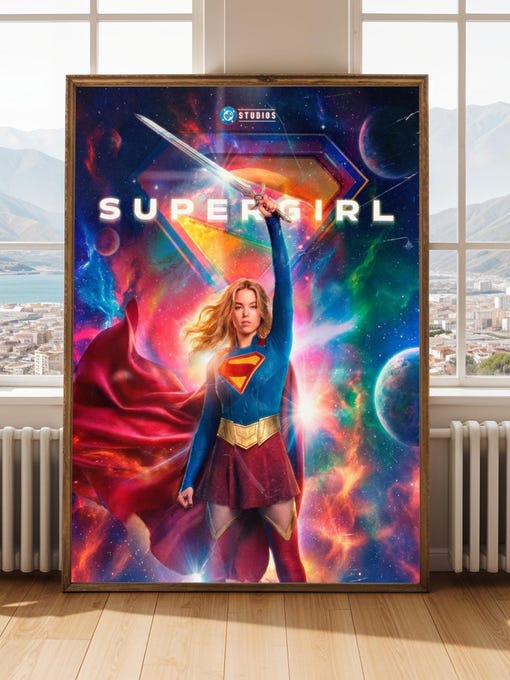
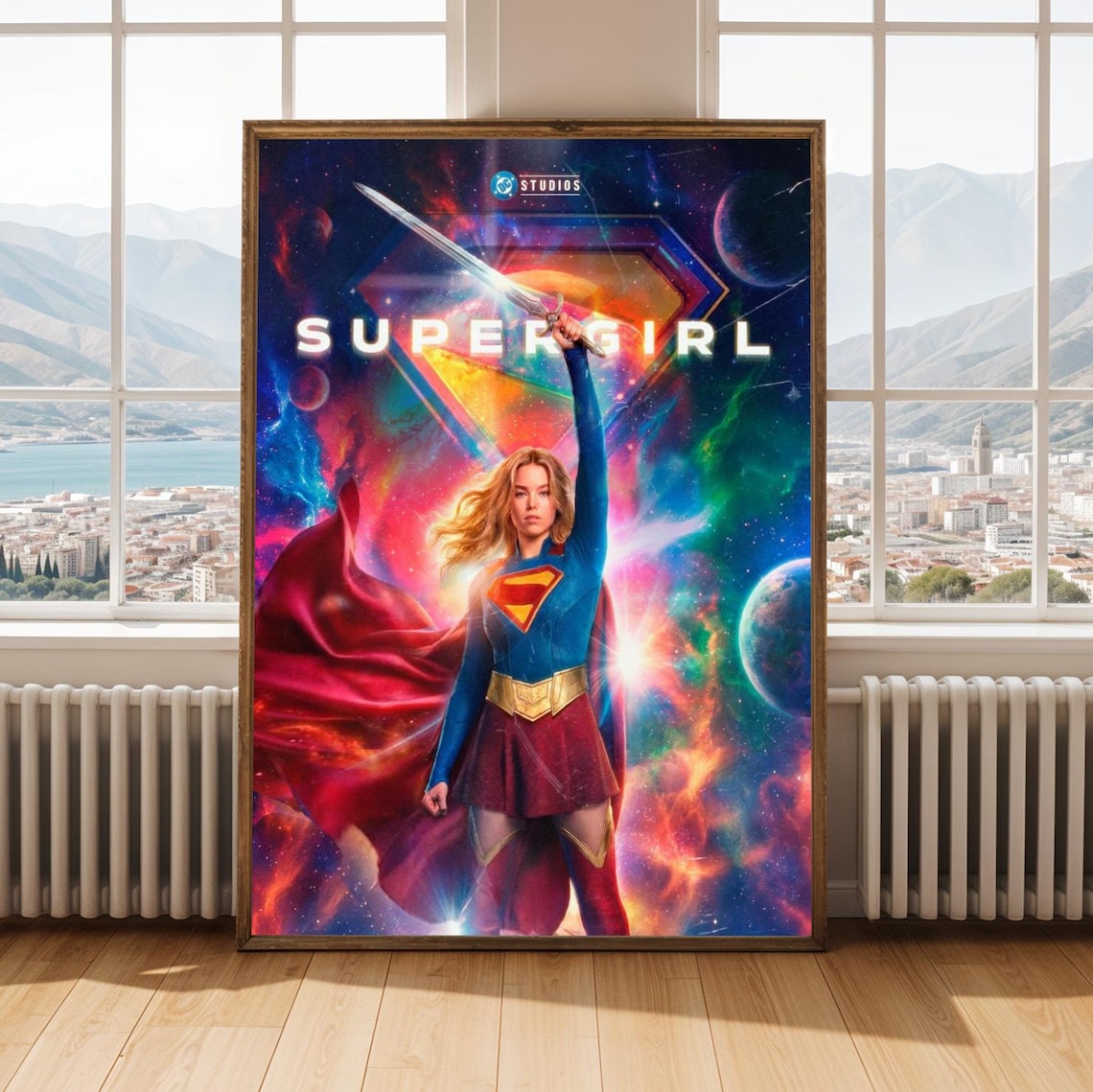
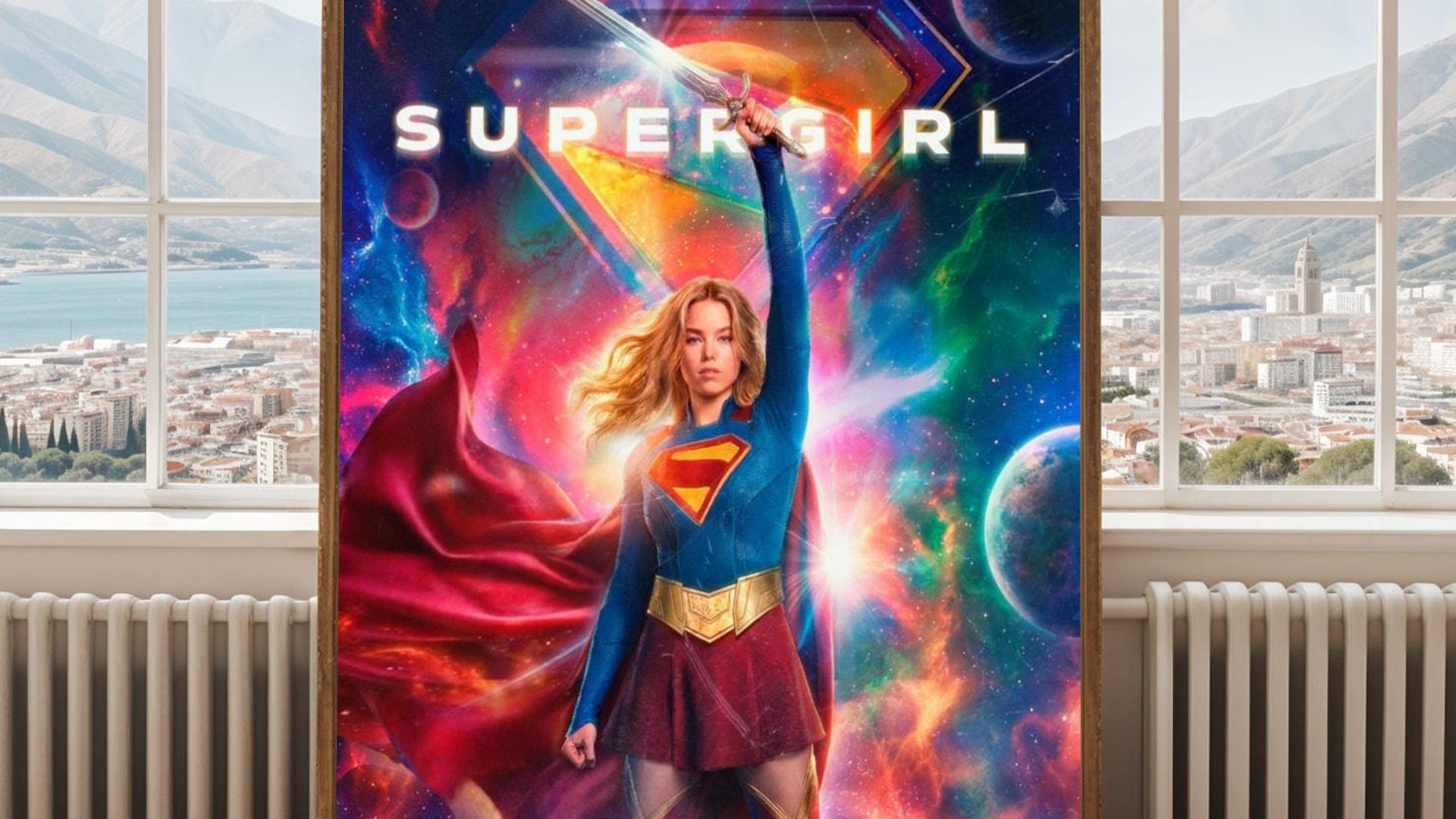
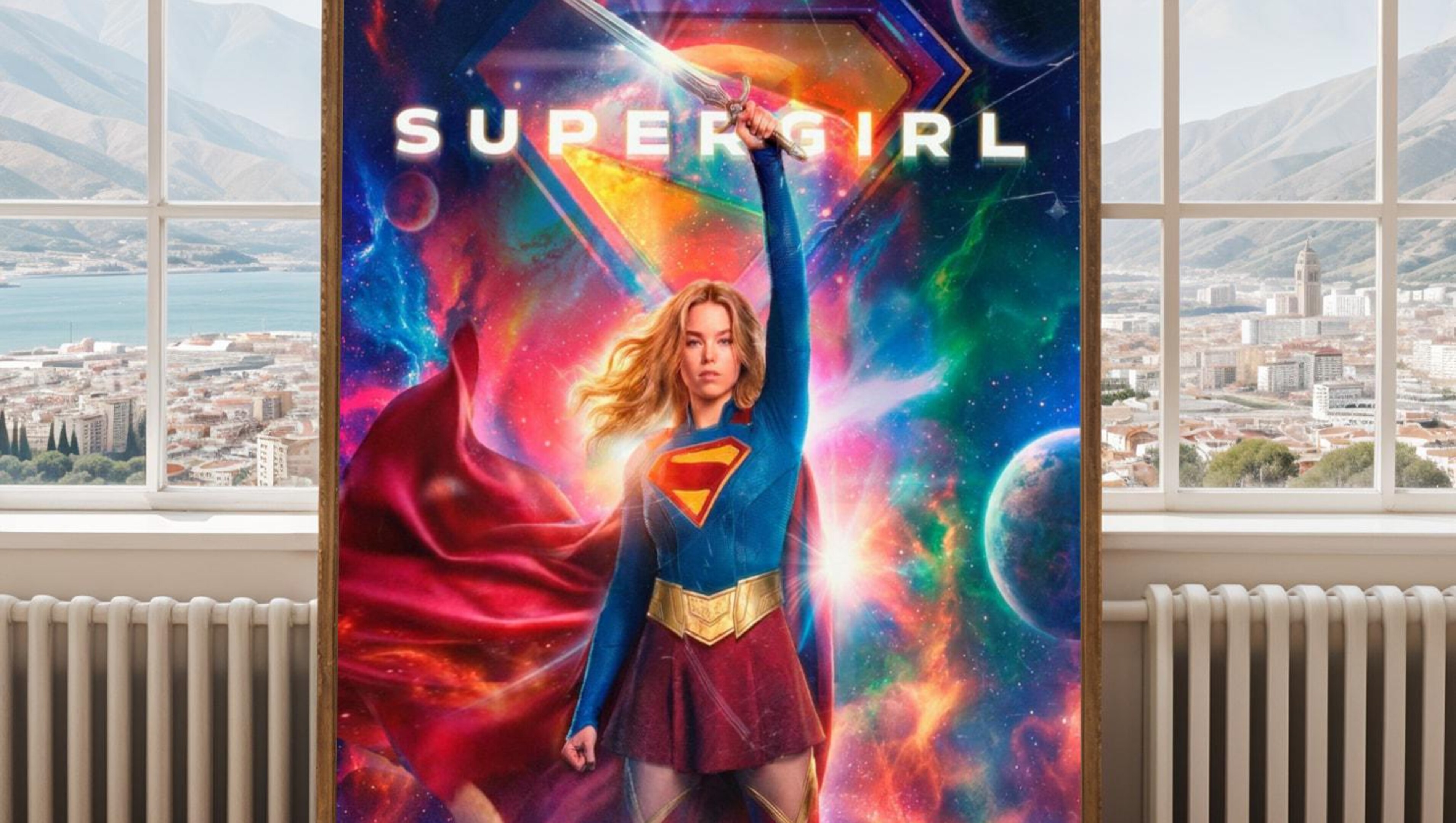
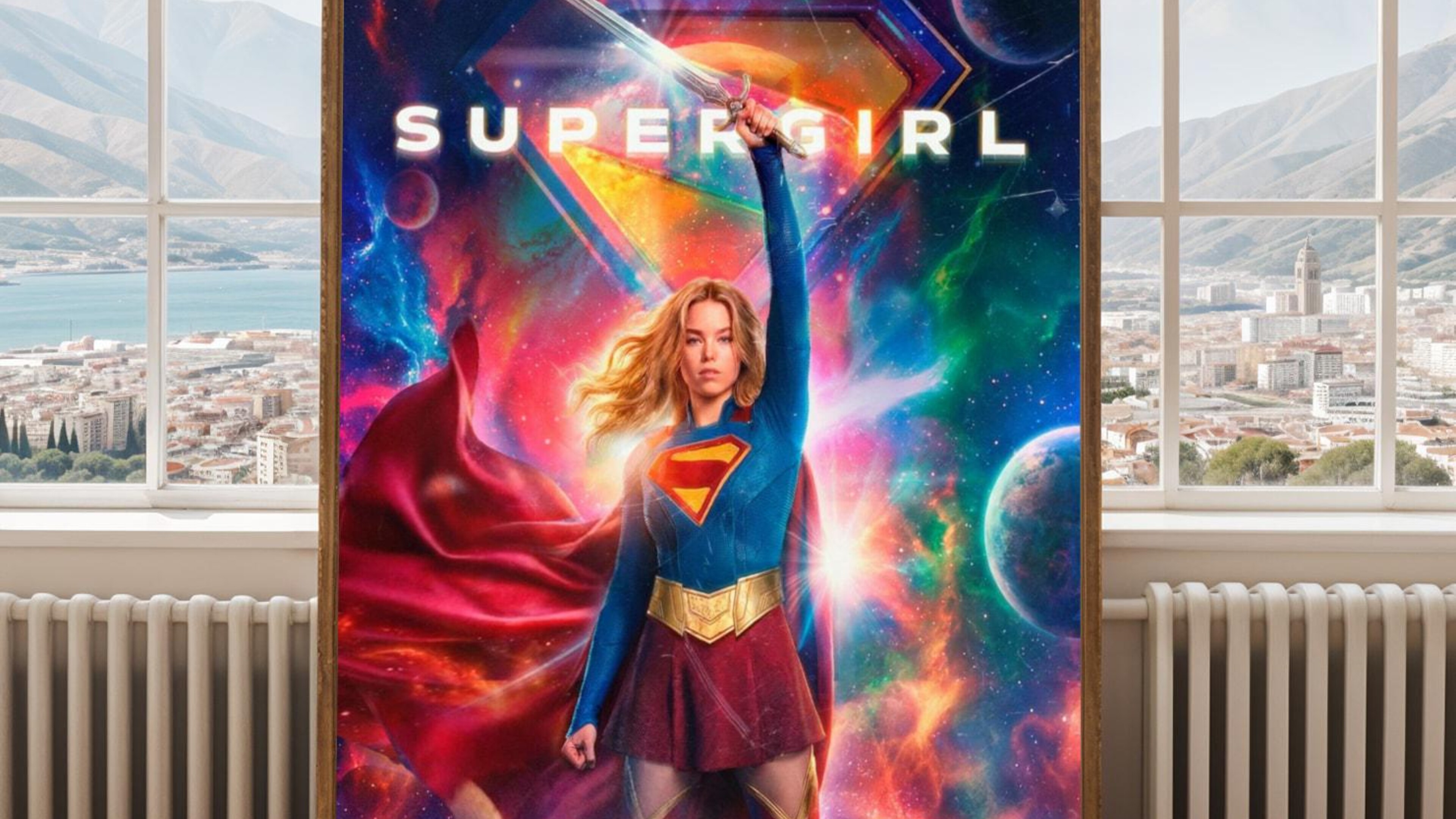
Other websites may use s for size or w or width or h or height in image URLs and q or quality as in 100 instead of 80% quality
-
5 September 2026 at 1:04 am #5121
Supergirl etsy website images:
Other websites may use s for size or w or width or h or height in image URLs and q or quality as in 100 instead of 80% quality
-
5 September 2026 at 2:12 am #5508
Chrome Extension Download All Images helped to provide a Gallery to access the temporary RT Forum advert images so these could be downloaded or links clicked to access separately: chrome://extensions/?id=nnffbdeachhbpfapjklmpnmjcgamcdmm
Some external image links can be edited, w= h= q= (width, height and image quality) w=1920 h=1080 q=100 instead. Use the +zoom to see the larger images.
https://tpc.googlesyndication.com/simgad/15116117222511747176/14763004658117789537
https://tpc.googlesyndication.com/daca_images/simgad/13168273755499264252?w=1920&h=1080&tw=1&q=100
-
5 September 2026 at 2:12 am #5511
RT Forum images?
The Chrome Extension Download All Images helped to provide a Gallery to access the temporary RT Forum advert images so these could be downloaded or links clicked to access separately: chrome://extensions/?id=nnffbdeachhbpfapjklmpnmjcgamcdmm
Some of the external image links can be edited, w= h= q= (width, height and image quality) w=1920 h=1080 q=100 instead. Use the +zoom to see the larger images.
https://tpc.googlesyndication.com/simgad/15116117222511747176/14763004658117789537
https://tpc.googlesyndication.com/daca_images/simgad/13168273755499264252?w=1920&h=1080&tw=1&q=100
-
-
AuthorPosts

- You must be logged in to reply to this topic.