
Griffin Navigate – FM for iPhone
The Griffin Navigate 6254 adds FM radio to your Apple iPhone, iPod Touch, iPod Nano and iPod Classic.
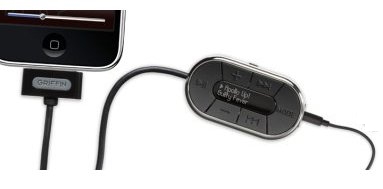
Griffin Navigate for iPhone
.
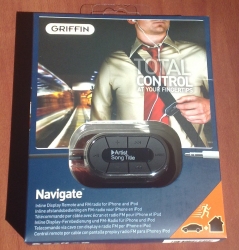 The Griffin Navigate is an iPhone / iTouch add-on that we’ve been waiting on for ages. It adds FM radio.
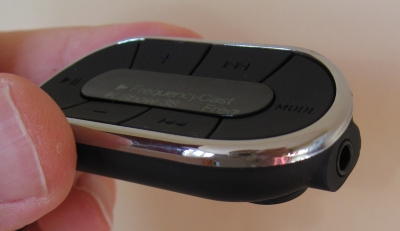
The unit connects to the base connector on Apple devices and is a 6 button remote control with build-in FM radio
Key features:
- Add FM Radio to your iPhone, iPod or iTouch
- Control your iPod audio
- Built-in mini-display
- Radio supports RDS for station name display
Griffin Navigate 6254 Specification
- Compatibility: Griffin Navigate works with iPhone 3G and iPhone, iPod Touch (1st and 2nd generation), iPod nano (2nd, 3rd and 4th generation), iPod classic, and iPod with video.
- Dimensions: 55 x 31.5 x 15mm
- Cable length: 24 inches / 61 cm
- Released: Late April 2009
Availability
Know another supplier? Let us know |
Griffin Navigate Review
This iPhone / iPod / iTouch add-on does pretty much what it says on the tin. It connects to the base of your device, and accepts a standard set of 3.5mm headphones. It’s a remote control device that toggles through a selection of modes: FM Tuner, Playlist, Artist, Album, Shuffle and Select EQ.
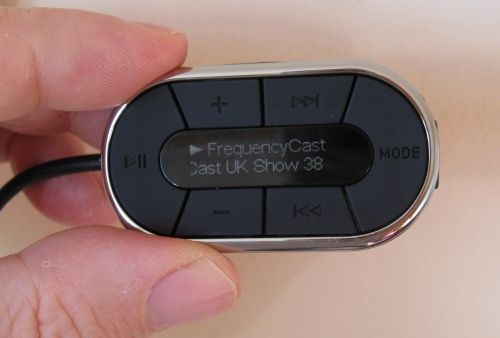
There are several handy functions, such as holding down the pause button puts the iPod into sleep mode, plus a little ‘lock’ switch to prevent accidental keypresses.
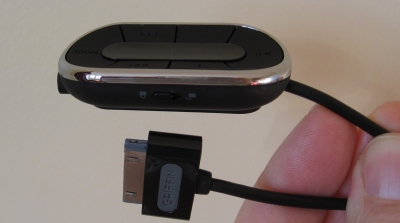
FM radio is acceptable, though slightly disappointing. We’ve heard better portable FM radios in the past – it tends to suffer from interference a little more than we’d expect, and would really benefit from the option to switch to mono to reduce hiss – especially evident on our morning train journey. Still, the radio functionality is pretty well done – you can set station presets as well as auto scan to strong stations.
The feature we’re looking forward to, is the availability of iFM, an application that can be installed onto your Apple device to allow you to get more from the radio (hopefully a mono option?). No idea when this is due out, but we’re watching the App Store daily!
Griffin Navigate FAQ
This section includes the answers to frequently-asked questions we’ve received…
- Nothing so far!
Got a comment or a question on the Griffin Navigate? Ask here
Links
- Griffin iTrip Dual Connect – Listen to your iPod or iPhone on your car FM radio
- DAB radios – A list of DAB radios available in the UK
- DAB forum – Get talking and ask for advice in our Digital Radio forum
