
Details on how to watch catch-up TV shows from the BBC on your Freesat set-top box.
 BBC iPlayer provides free access to hours of on-demand TV content from the BBC over the Internet.
In December 2009, the BBC iPlayer came to the Freesat platform. It was initially launched as a beta on certain Freesat boxes only.
On this page, you’ll find a summary of how to get BBC iPlayer TV content on Freesat.
Some Freesat boxes that have an Ethernet socket on the back can be connected to an Internet router to get on-demand BBC TV content.
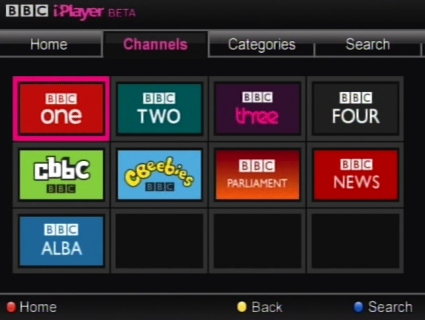
What you need:
- A Freesat box or Freesat TV set with an RJ45 Ethernet connector on the back. In January 2010, only the Humax Foxsat-HD and the Humax Foxsat-HDR boxes were supported. Shortly after, iPlayer also became available on Bush HD, Grundig HD and Goodmans HD boxes, as well as Sony Bravia Freesat HD TV sets.
- An Ethernet cable connected to a Broadband Internet router.
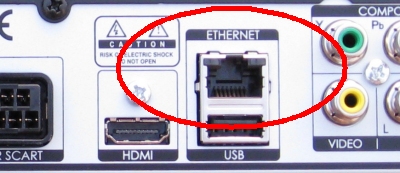
Ethernet socket on Humax-HD Freesat box
How to get BBC iPlayer on a Freesat box:
- The first thing we’d suggest is to upgrade your box with latest version of firmware. On our Humax box, we used the ‘upgrade’ option in the menu
- Next, switched off the box, plug in the Ethernet cable to your router, then switched the box back on
- Then, switched to BBC One on Freesat channel 101.
- Next, time to press the Red button.
- Select "BBC iPlayer" from the BBC "Red Button" Interactive menu.
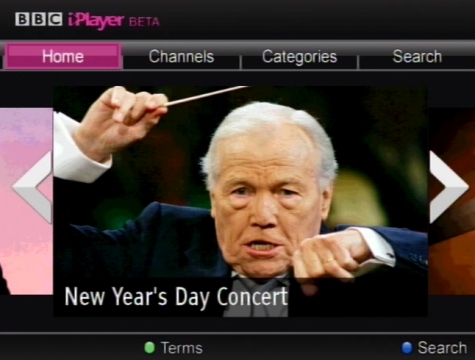
BBC iPlayer channel selection on a Humax Freesat box
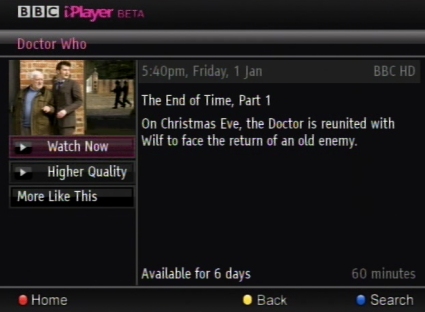
About to play back a BBC iPlayer show on Freesat
Connection Help
Internet router not close to your TV? Freesat boxes don’t have wi-fi, so if your Broadband router is in a different room, then you might want to consider using a set of HomePlugs. These transmit broadband over home mains wiring. Plug one into a mains socket near your router, another into a mains socket close to your Freesat box, then plug in an Ethernet cable to both HomePlugs.
HomePlugs are available from PC World , Dabs.com and Maplin.co.uk
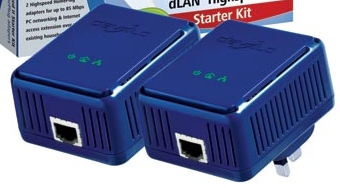
A pair of Devolo HomePlugs
Need help?
Please ask in our Freesat forum
Useful Links
- More on Freesat? See our Freesat page
- Answers to common questions in our Freesat FAQ
- Freesat channel listings: Freesat channels
- Information on free satellite – See our Satellite TV for Free page
- If your question isn’t answered, please leave a message in our Freesat
forum

ITV ON DEMAND WORKS NOT BBC why
Can get itv hub but not BBC catch up
Manhattan Freesat box can only get itv player not bbc iplayer?
plaza HD.S2
Why can I get ITV hub and all digital programs but not BBC iPlayer working fine over a week ago it just stopped working I have a tv license my box is a Hamax Freesat
On a Humax Foxsat-HD/HDR, it is possible to access iPlayer by having the box connected to the internet, but with no BBC satellite signal available?
Does not work on Toshiba TV connected to Freesat, no red button. New iplayer no longer works on Toshiba TV via internet either. Crap.
So want to watch catchup TV on my, er, TV cannot. Have to go buy/connect another bloody device. Well done for wasting my license fee money so non license fee payers can watch iPlayer on their iphones.
My Humax Foasat 500 tells me ‘BBC iPlayer is available on Freesat Channel 7001 – the highest Channel I can accesss is 999. What am I doing wrong?
I+think+BBC+has+got+a+nerve+to+put+catch+up+off+the+red+button+.+Don’t+they+get+enough+money+from+the+licence+fees+we+all+have+to+pay+by+law+.+If+that’s+the+case+there+should+be+some+law+stopping+the+BBC+playing+around+with+catch+up+.+I+makes+you+blurry+sick+all+these+changes+for+there+benifit+and+not+the+licence+payers+.+Put+it+back+on+the+red+butten+.+It’s+taking+a+lot+restraint+on+my+part+not+to+start+swearing+writing+this+.++You+assholes+.