
This page takes a look at some of the options for listeners looking to listen to radio over the Internet.
What is Internet Radio?
In the mid-1990’s we saw the start of a small but growing collection of Internet radio stations stringing up worldwide. Using “streaming audio” technology, webcasting (as it’s now commonly known), brings radio stations from around the world within easy reach via your desktop computer.
Many of the UK broadcasters offer a streaming radio service over the Internet, often tied into the station’s website. Viewing a station’s website allows you to the faces behind the voices (and shatter some illusions!), in some cases see what’s happening live in the on-air studio via a studio webcam, plus send email or instant messages to the on-air presenter.
How to listen to Internet Radio
To listen to Internet radio stations, you’ll need a broadband connection.
Looking for Broadband, it’s worth seeing what’s on offer from BT Total Broadband. As an alternative, consider Virgin Media, another of the UK’s leading Internet
Service Providers.
You’ll also need an Internet Radio receiver. This could either be a stand-alone radio receiver, a desktop computer or laptop, or a mobile phone with suitable Internet radio software.
Internet Radio Receivers
Here’s a list of some of the stand-alone Internet radios available in the UK. Typically, these use wi-fi to get their Broadband. You’ll need a wireless Internet router.
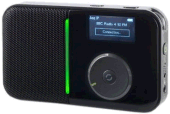 |
View Quest WiFi 200 – Tiny Internet Radio
We believe this is the smallest Internet radio. 15 hours of radio from one charge of the built-in battery, and access to over 12,000 stations around the world. Great sound from the 36mm speaker and under 160 grams. More details? See our View Quest WiFi 200 Review Available for around £75 from Amazon.co.uk |
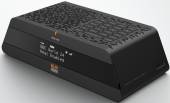 |
Revo Blik RadioStation – Internet / DAB / DAB+ and FM – Top Choice This is a combined DAB digital radio, FM radio with RDS, and Wi-Fi internet radio (easy access to over 9,000 stations from around the world). Released in December 2007, it’s the first commercially-available radio to support the upcoming DAB+ standard. The Blik has an alarm clock and allows you to plug-in your MP3 player and use BLIK as a loudspeaker. We looked at this in Show 24 of our podcast. More details on our Revo page. Available for £149.99 from Revo, AdvancedMP3players and Maplin |
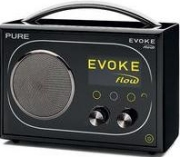 |
Pure Evoke Flow RECOMMENDED
Supports Internet radio, DAB and FM radio. Also supports podcasts, Listen Again and media streaming. Reviewed in Show 33 of our podcast Available for £125 from Play.com |
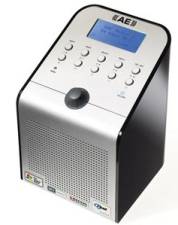 |
The Acoustic Energy Wi-Fi Internet Radio makes use of an existing wi-fi network, to access the world’s Internet stations without relying on a USB dongle connected to a PC.
This is the world’s first radio capable of accessing over 99% of Internet radio stations broadcast anywhere in the world. Compatibility with all three major streaming formats gives the Wi-Fi radio an amazing choice of content from Britain’s BBC Radio1 to Brazil’s Radio Calypso! There’s no subscription to pay, no signal coverage problems and no international content boundaries. You can search by country or genre, and the formats Real Media, MP3 and WMA are supported. The Acoustic Energy Wifi radio is available for between £150-£170 from Play. |
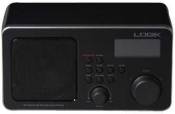 |
Logik Ir100 Logik IR
The Logik Ir100 Internet Radio provides access to over 5,000 online radio stations, using your broadband connection. It also allows you to stream audio files from your PC, supporting Real Audio, MP3, WMA, AAC, WAV and AIFF formats. Available for £59.99 from Currys |
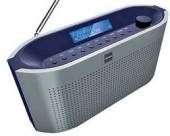 |
Bush TR2015WiFi
This supports up to 1000 stations and can also stream music from your PC. Available for £69.99 from Argos (Cat No: 049/0380). |
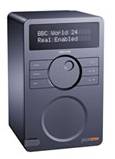 |
Revo Pico wi-fi – Internet Radio
Access to over 5,500 Internet radio stations. The Pico wi-fi has a built-in rechargeable battery, offering completely wireless access to Internet radio stations. Supports Windows Media, Real Media and MP3 formats. Can be connected to an iPod and has FM radio. With infrared remote control. More details at www.revo.co.uk or on our Revo page. Available for £149.95 directly from Revo. |
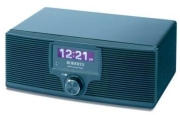 |
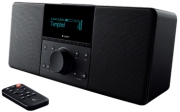
Roberts Wm201 WiFi Internet Radio
6000 stations and BBC Listen Again, with a wired or wireless connection Available for around £168 from Play.com and AdvancedMP3players |
 |
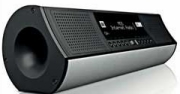
Logitech Squeezebox Boom
An impressive 30 watts, and support for formats such as AAC, AIFF, Apple Lossless, FLAC, MP3, WAV, and WMA Available for £199 from Dabs.com |
 |
Ministry of Sound Media Streaming Radio – RATED
wi-fi, 10 presets, line-out and PC streaming – Rated top Internet radio by The Gadget Show, November 2008 Available for £99.99 from Argos (Cat No: 049/0531). |
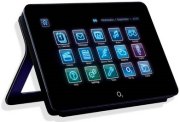 |
o2 Joggler
The Joggler is marketed by mobile phone firm o2 as a device to keep your family in touch – sporting a shared calendar, media device (photos, music and video), and information portal (news, sports, weather and travel). In November 2009, a free upgrade to the o2 Joggler software added Internet Radio, using Pure’s Lounge Internet radio service, bringing access to an initial 100 radio stations. o2 Also dropped the Joggler’s price to below £100. A handy device that does a lot more than Internet radio – well worth a look. Available for £99.99 directly from o2 Online |
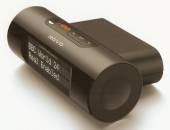 |
Revo Mondo Internet Radio Adapter
This device connects to your hi-fi and adds Internet Radio. It supports access to over 5,500 radio stations from around the world. It has two standard RCA phono outputs, for connection to your AUX inputs on your hi-fi or home cinema. More details on our Revo page. Supports Windows Media, Real Media and MP3 formats. Connects to your wi-fi broadband Internet connection. Stylish unit with remote control, alarm clock and presets. Available for £99.95 directly from Revo. |
Internet Radio Software
In many cases, Microsoft’s Media Player, or Real’s RealPlayer will be perfectly fine for accessing streaming radio stations over the Internet, but you may find you’re better off with a dedicated Internet Radio software package. In this section, we take a look at two or three of the top Internet radio packages available.
Software: Replay AV
This package, formerly known as Replay Radio, is the team’s personal favourite. It offers access to radio stations, old radio shows, podcasts and even streaming TV stations. We reviewed this product in show 15 of our podcast and at the time of recording in May 2007, Replay AV was carrying 5,251 radio stations, 1259 shows 511 TV stations, and 20,700 podcasts – you can also add your own favourite feeds if they’re not listed.
Searching with this application is very easy, and the Record wizard makes it easy to get a copy of what you’re listening to, or to schedule a future recording. We wouldn’t hesitate to recommend this to anyone.
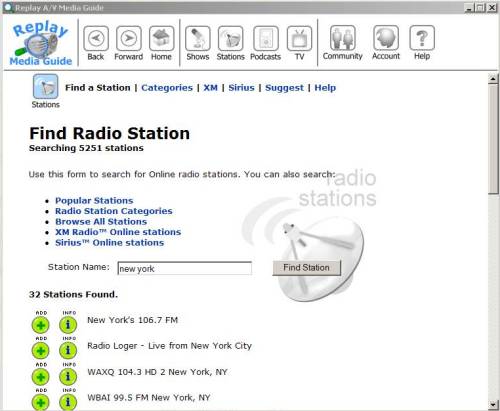
Replay AV
An evaluation version of Replay AV can be downloaded from www.applian.com
 Software: Webradio, from Magix
Web Radio software from Magix supports recording of multiple broadcasts simultaneously, automatic programming and track splitting, full control over volume or time tariff and ‘permanent recording’. You can create your own programme, specify artists and titles, and there’s and intelligent search function with fast keyword search. Features include:
- Record filter: record or exclude selected titles, genres or artists
- Intelligent search function: worldwide radio stations by genre and much mor
- MP3, OGG, WMA: listen to radio in the latest streaming formats
- Realtime effects maximizer, equalizer, echo, reverb and more
- Automatic backup of music archives onto CD and DVD
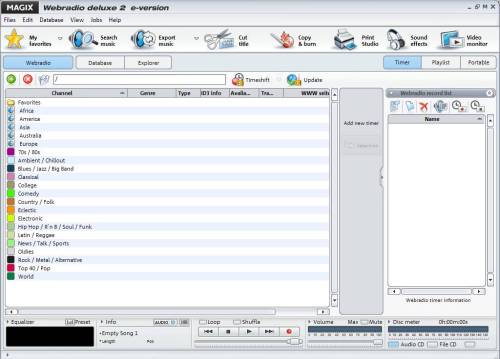
Magix Webradio
Magix Webradio is available for around £18 from Amazon.
Software: Radio tracker
The Radiotracker package also gives you access to lots of Internet radio software, but for a slightly different purpose. Radiotracker comes pre-configured with 14,000 radio stations – and allows you to build a collection of mp3 tracks from the Internet. You can enter the names of tracks and artists you’re interested in, and the software will scan radio stations for those tracks and download them for you. RadioTracker offers a fast way of downloading content from radio stations round the world.
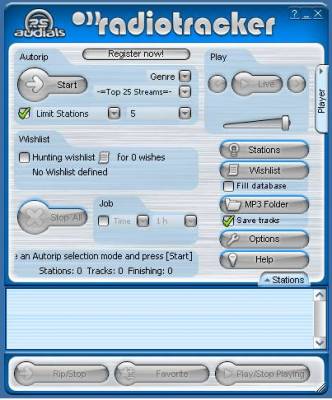
Radiotracker
We looked at RadioTracker in Show 15 of our podcast. A free trial of Radiotracker is available from www.radiotracker.com. You can buy it online, or a boxed version from Play.com
Your own Internet station
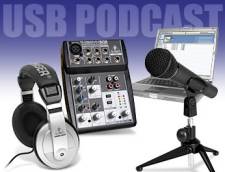
If you fancy yourself as a radio presenter, why not look at setting up your own radio station? All you need is a mic, a PC and an Internet connection.
If you fancy giving it a try, create a free account at www.live365.com, and set up your own online streaming radio station.
Your own station – Looking for a guide on how to get started online?
See our Start Your Own Online Radio Station page.
Podcasting
First appearing in the mid-2000s, this is regarded by many as a new form of radio. The ‘Podcast’ gets its name from the iPod music player, and is essentially an audio MP3 file that can be downloaded onto your computer and then synced to your portable music player.
You can either download files manually, or use software such as iTunes and Juice to get shows delivered automatically.
More on podcasting on our Podcasting Page
We’d love to expand this section, so please contact us if there’s anything you’d like to know about podcasting.
- Note that if you run your own Podcast, you need to consider either using non-copyright music, or obtaining a licence to use existing music on your Podcast – More on our Podcast page
|
Links
- Internet radio forum – Want to talk about streaming radio? Try here
- Podcast Advice – Help on making your first podcast radio show
- Setting Up An Onine Radio Station – Details on how to get your streaming radio service live
- Radio Feeds – A handy site to find out which radio stations are streaming in the UK.
- On your PC – How to get TV and radio on your PC
- TV over Internet – Advice on getting TV over Internet

I enjoyed the Listen Again service from the BBC. It enabled listening up to 30 days after broadcast. This service was discontinued without notice to the general public following changes to the encoding system. My new Reciever/Amplifier by Denon can no longer access these services. Denon reported that they were not consulted.
I have protested to the BBC that they should not have stopped the service without taking account the views of listeners and the industry. To my knowledge there’s never been such a high-handed deletion of a service which the BBC was promoting and recently extended from seven days to thirty. Any comments?
January 11th 2016: is anybody out there able to tell me, which internet radio receivers with current HSL listen again streaming -apart from PURE receivers! – are to be had from the UK ?? Names of brands and/or devices would be more than welcome. Thanks very much in advance.
Hi how can I get an internet radio licensing?
Blanket Licensing?