
Finding yourself a position working at a radio station can be a tricky business. On this page, we offer some tips and links for those looking to work in the UK radio industry.
Working in radio – the basics
If you’re considering a career in radio, this section may help, as it offers a few tips and suggestions:
- Get experience – Rather than looking for a media qualification, most radio stations tend to look for prospective candidates with experience in the field. If you’re trying to get into radio for the first time, you’ll need to start small and possibly get some unpaid experience under your belt. If there are radio stations in your area, consider getting in touch with them to offer your services. Some stations are often on the look-out for part-time (voluntary) help, especially the community and voluntary stations. Another great place to get some radio experience, is to approach your local hospital radio station and see if they are looking for volunteers. (See the HBA website to find your nearest station).
- Consider a course – There are several radio courses available for those looking to learn more about the UK radio industry, and to get some tips.
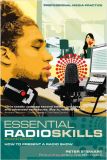 Get a book – See our radio books page for a couple that we recommend – these include information on making that initial contact, and what potential employers are looking for. There’s also a useful book offering tips on radio presentation.
- Check out your local stations – The RadioCentre is a good place to get a list of the names, addresses and phone numbers of the UK commercial radio stations. There are also similar sites for community, hospital and student stations. See our UK Radio section for details on the types of stations out there.
- Look online – See our UK Radio Jobs page for some useful websites for those looking to work in the industry
- Help? – Looking for any other help and advice? Try asking in our UK radio forum
- Approaching a station – If you have a particular radio station in mind, you need to think carefully about how to approach them. First off, you need to find the name of the right person to speak to at the station. Either take a look on the station’s website, or call their switchboard. Then, when you apply, you can use the personal touch, and not just “Dear Sir or Madam”. If you’re looking to do any on-air work as a presenter, you’ll be looking to reach the Programme Controller or Programme Director, and you’ll most likely be asked to provide a “demo tape”, which we cover below.
- Run your own station! If you’re not ready to work for a mainstream radio station, consider broadcasting on the Internet, or podcasting. It’s pretty easy to do, and can be a very good first step into radio. There’s a worldwide audience out there for you to connect with. We offer information on how to record audio at home, how to start in podcasting, and how to start your own online station
- Patience – Remember that there are a lot of people keen to work in the radio business, and jobs in the radio industry can be pretty scarce. It’s a competitive business, with only limited opportunities. Getting noticed by a prospective station can be tricky, and it can pay to keep reminding a station that you’re there, and keen. Do prepared for a wait, and to persevere! Keep your eye on some of the UK radio job sites and local newspapers for information on new radio services that may be starting in your area. Be persistent, and keep trying.
Where to look for a job
There are several websites that list current radio job opportunities, and let you advertise yourself.
Take a look at our UK Broadcast Jobs page for a few handy websites.
Preparing your ‘Demo’
We’ve created a page of information on how to create a demo tape that might just help you to get your dream job in radio
Check out our: Radio Station Demo Guide Guidance
Other useful radio links:
- Radio courses – information on learning more about radio training courses
- Preparing a radio demo tape – Information on how to create your audition piece
- Our Radio forum – Talk about working in radio in our forum
- Further reading – Books for those looking to work in radio
- Radiopresenting.com – Information and resources for those looking to become a presenter
- Recording voice onto a PC – Practical advice on recording yourself on a PC

I want job in radio.
i want a radio job
please help me how to i apply this work!!?
Hi,
I want to work with Radio,please let me know if i can apply.
Can+I+please+know+how+to+apply+for+the+radio+job.++I+would+really+love+to+be+part+of+the+industry
Hello I’m looking for work in radio at the moment I have my own weekly radio show at B@se Radio Bristol and I do another Radio show with Second Step a mental health charity hear in Bristol every six weeks.
I started with the Second Step radio show over three years ago now and they halped me get my own show at B@se Radio. I’ve been at B@se doing live shows sins 10-07-15. This is the first time I’ve looked for work in radio but I love doing radio shows and I can see my self doing radio for the rest of my life. I know all radio stashions are defrent and use defrent softwear. I’m a fast lerner you have to be working in community radio on much older unreliable equipment. Sadly community radio will always struggle with funding but its a good way to find new and up and coming radio DJ’s like me. My show is called the Mixtape and all my mixes are on Mixcloud under the name DJ Feather Touch. I’m also on Facebook and I post my playlists and other funny stuff when I’m live on air doing my shows. I have over 500 folowers on Facebook that like my noncence. At the moment I’m on air every Friday 3-6pm at B@se Radio Bristol on Tunein & Internet. Thank’s from DJ Feather Touch AKA Daniel Aiudi…
I think radio needs new ideas- I did hospital radio- but where can I send demo tape of CD
I want to work in a radio station in the Uk. Am currently based in Nigeria. I would really love to get a radio station job in the Uk. How can I apply please