|

Humax - Freeview
Digital TV Receivers
This page
contains information on the Humax range of Freeview set-top boxes
|
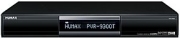
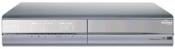
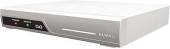
Humax PVR-8000T Hard
disk recorder
Features: Personal
Video Recorder (PVR). Freeview receiver with a built-in hard
drive. Record programmes in digital quality without videotapes,
channel search, electronic programme guide. Live pause, timeshift
and slow motion. Factsheet from www.humaxdigital.com.
See our FAQ section on this
page for more on this model, for a review of the Humax PVR-8000, see our Humax
Reviews
Two versions are available, a 40Gig Hard Disk version, and an 80Gig
version (the PVR-8000T/80)
Outputs: 2 x SCART, RF modulator, SPDIF, stereo phono
Not available. Last seen for £120 from Empire
Direct . Know a supplier?
|


|
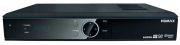
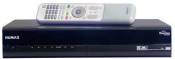
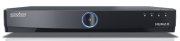
Humax PVR-9200TS (Silver) PVR-9200TB (Black)
Freeview receiver with a built-in hard drive from the same people as the popular PVR-8000. Became available in September 2005. Updated in 2007 to be 'Freeview Playback' compatible. Features include:
- 160GB built-in hard-disk (up to 100 hours recording)
- Twin Tuner (watch one channel while recording another
- Card slot suitable for subscription services. (requires CAM)
- Electronic Programme Guide
A host of other extras including picture-in-picture, USB support for PC connectivity, mp3 playback, live pause & dolby digital out. Discuss the PVR9200 in our Humax forum. Reviews
Available for £152.79 from Martin Dawes
Available for £154.94 from Dixons
Available for £164.80 from 24-7 Electrical
Available for £173.18 from Dabs.com
Available for £174.13 from Tribal UK
Available for £179 from John Lewis
Available for £174.99 from Comet
Available for £179.99
from ASDA online
A 320Gb version, the Humax PVR-9200TBX, was announced in October 2007. This offers a larger hard-disk, with up to 200 hours of recording. It's available direct from Humax, but we don't know of any other suppliers at this time. If you do, let us know
|
|
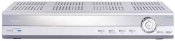
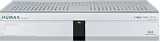
Humax F2-1011T
Low-price Freeview set-top box sold via DABS in the UK. No details or user reviews have been submitted. It seems that this box doesn't support MHEG (interactive) services.
Extras: Channel search, timer
Outputs: 1 x SCART, RF loopthrough
Factsheet from: www.humaxdigital.com
Not available. Last seen for £56. Know a supplier? |

|
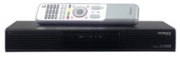
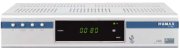
Humax F2-FOX
T
Freeview set-top box with on-screen channel
display. Channel sort by
name or number, digital teletext, timer
Output: 2 x SCART, RF modulator, Dolby Digital out
Factsheet from :
www.humaxdigital.com
Available for £59.11
from ASDA online
Available for £59.11 from QED UK
Available for £59.99 from Empire
Direct
Available
for £61.50 from 24-7
Electrical
Available for £69.50 from John Lewis |
|
Humax MGTU1
Freeview box with a 7-day Electronic Programme Guide. Card slot suitable for subscription services.
Output: 2 x SCART, RF modulator,
Last seen for £45-£80 24-7
Electrical , John Lewis and Empire
Direct. Know a supplier? |
|
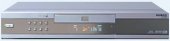
Humax DV-1000T
- With DVD Player 
Freeview receiver with combined DVD player. Supports playback DVD,
MP3, Audio CD, VCD, CD-R/RW, DVD-R/RW, and DVD+R/RW. Read
Review
Extras: Channel sort by name or number, digital teletext, timer
Output: 2 x SCART, RF modulator, Dolby Digital out
Not available. Last seen for £80. Know a supplier? |
Can't find it? If you can't track down the model you're after, try
a price search at Pricerunner , BuyCentral or Kelkoo .
You could also try Ebay.co.uk .
Failing that, check out the alternatives or try asking for some suggestions in our forum.
Links:
PVR8000 Common Questions:
The following list of common questions
relating to the PVR-8000T has been contributed by users of our Humax
forum:
|
How do I contact Humax support? |
Email uksupport@humax-digital.co.uk
or call 0870 247 8800 |
|
I don't know the password |
The default password is '0000'...
|
|
Is the 8000-T full 7/8 Day EPG compatible? |
Yes, EPG is supported with
software release 1.00.11. |
|
The front of my 8000-T looks really dusty |
There is a thin film stuck
to the front. Peel it off. |
|
The pictures and sound on my 8000-T keep skipping, how do I stop this?
|
Humax suggest to 'Restore to
Factory Pre-Sets' (in the Installation menu) this will also delete
and re-scan all channels. Not sure if this fixes the problem. |
|
Can I record one channel and watch another? |
No, the 8000T has only one
tuner. |
|
Can I record from an external source, eg my camcorder? |
No, the 8000T does not have
the ability to record from any other source than the internal tuner.
|
|
Can I change the recording quality? |
The 8000T 'simply' saves the
incoming digital bit-stream on to the hard-disk, it has no MPEG (re)
encoding ability which would be required to re-compress the incoming
bit-stream. |
|
My TV's colour controls are no longer working, what is happening?
|
This can happen with some TV's
and is very dependent on the particular model of TV you are using.
|
|
Can I watch a pre-recorded program whilst recording another? |
No, although many think this
should be possible via a future software upgrade, Humax have said
that the hardware is not capable of doing so. |
|
Can I watch a program I am recording from the beginning if it is part
way through? |
Yes, press the play button
to get the transport controls up and then select the icon with the
two arrows. This will place a little marker on the time line which
you can drag to the beginning of the recording, then press Ok. The
8000T will continue to record your program whilst you watch. A minor
bug causes the playback to stop when the recording stops... but you
can start the playback again from where you got up to. |
|
My machine does not enter Stand-By after a timer recording, why? |
The 8000T will not enter Stand-By
if it was switched on when the recording started. It will only enter
Stand-By if it was in this state prior to the recording taking place
AND if no playback buttons were pressed whilst it was recording. |
|
I switched my 8000T on today and it has 'lost' the hard-disk and the
ability to record. Instead of the record menu there is one saying
'Games'! Whats happened?! |
This is a rare fault which
seems to effect all 8000T's at one point. Don't worry. Put the 8000T
in to Stand-By, flick the switch at the upper rear left and wait 30
seconds. Flick the switch again and switch the 8000T back on. You
should now have PVR functions back. Note that you will lose any reservations
you have set, but all of your previous recordings will still be intact.
|
|
I was watching a recording and the picture / sound was out of synch,
how do I fix this? |
This occasionally happens,
just stop the playback and resume, this should cure it. |
|
I recorded a program, but when I try to play it back there is just
a black screen. None of the transport controls work, either on the
remote control or the screen. How can I watch this program? |
This is a rare fault, and can
be remedied by playing another recording, press stop and then you
should be able to play the recording that wouldn't work. If this doesn't
work, another user has reported switching the machine off via the
swtich on the upper rear left. |
|
When I am watching live TV, if I rewind when I am about 35" behind
my 8000-T freezes, none of the buttons work and I have to switch it
off at the back. Is there a fix? |
One user reporting this problem
has found that re-formatting the internal hard-disk fixed this problem.
Please note that you WILL lose any recordings on your 8000-T if you
format. |
|
Can I 'archive' programs from my 8000-T to a DVD-R? |
Looking to archive your recordings? Well, connect your Humax to a DVD recorder
(S-Video is the preferred method) some earlier users found that their
particular DVD-R detected a Macrovision signal where there was none;
the 8000-T was sending it in error. This was fixed in a software release
(1.00.09?) and most users will probably not be effected now. |
|
How can I update my software? |
New software releases are occasionally sent over-the-air to automatically update boxes - The update schedule is listed on the DTG Engineering page.
There is a way to manually update your sopftware, if you don't want to wait for a scheduled update. To do this, obtain the necessary cable
from Humax Support UK, plus a 9-Pin Serial Null Modem Cable (Female
- Female), download the application from http://www.humaxdigital.com/hcsa/
as well as the latest software. Connect your 8000-T to your PC, use
115200 Baud (NOTE! Ensure that the Port settings in Windows Device
Manager are set to 115200 as well, as if it isn't this will prevent
successful connection - This is the cause of many peoples failure
to connect). Switch off your 8000-T using the switch at the rear upper
left. Run WDN4OAK+, select the relevant software .hdf file and click
on download. Now switch on you 8000-T. DO NOT SWITCH OFF YOUR 8000-T
UNTIL 'END' IS DISPLAYED ON FRONT PANEL! |
|
What are the pin connections for the RS232C connector? |
Only pins 2, 3 & 5 used on
the "9-pin D" end ( looking at it with the row of 5 pins on top &
pin 1 being on the left top row, pin 6 on the left bottom row) the
other end is a 3-pin DIN plug, then looking at the 3-pin DIN with
the plastic slot at the bottom and assuming the pin on the left is
pin 1: 9-pin D pin 2 -> 3-pin DIN pin 1 9-pin D pin 3 -> 3-pin DIN
pin 3 9-pin D pin 5 -> 3-pin DIN pin 2.
To make your own connector: "Solder a 1" length of shiny paper-clip
wire to each of the three active cables from the serial lead. Put
narrow heat-shrink over all but the last 5mm of each wire. Bundle
the three wires together and put a wider piece of heat shrink tubing
over the solder-joint end, leaving about 12mm of each sticking out,
including 5mm of bare wire. Using a needle-nose pliers, bend then
all in a slight "Z" shape to form a rigid 3-pin assembly with the
pins at the proper pitch. Embed all but the bare pins in a blob of
"Araldite"and stick the whole assembly into an old biro cap."
Advice posted as-is from a forum posting.
RadioAndTelly accepts no responsibility for any damage arising from
use of this information |
|
Can I upgrade the Hard-Drive to a larger capacity? |
Yes. Because the 8000-T doesn't
store its Operating System on the hard-drive, it is very easy... Just
swap the hard-drives, ensuring the Cable Select jumper is set and
you are away. Some users have reported success with the following
drives: DiamondMax Plus9 120Gb UDMA 133, Seagate Barracuda 160Gb 7200,
IBM Deskstar 100Gb 7200 (but sounded like a washing machine!). Other
drives may indeed work, but don't blame me if they don't! Some users
have reported the following drives to be incompatible: Samsung SP1604N
160Gb, Western Digital Caviar 120Gb 5400 rpm. This is by no means
a definitive list, obviously you can't hold me responsible if you
buy a drive not on this list and it doesn't work. Also, don't blame
me if changing your hard-drive breaks your machine!
To upgrade the drive: Unplug the PVR8000T from the mains and whip
off the case cover. Disconnect the power cable and the data cable
from the old drive. Make sure that the new drive has the jumper set
for 'cable select' - a diagram on the drive shows the correct driver
position. Unscrew the HDD mount from the case (3 screws) and the HDD
from the mount, replace with the new drive. Plug the cables into the
new drive. Put the cover on and plug in. Turn on and wait a few minutes.
Advice posted as-is from a forum posting.
RadioAndTelly accepts no responsibility for any damage arising from
use of this information |
|
Whenever I use the Guide on my 16:9 TV, it switches to 4:3 / the Zoom
mode on my TV goes funny, is there a fix? |
This doesn't appear to effect
Sony Wega models. For all the others it does effect, Humax have confirmed
that this will be addressed in a future software release. |
| I
accidentally switched my machine off whilst it was recording. I switched
it back on and tried to press record, but it came up with an error
saying "Processing Recording Schedule." |
This can be rectified by powering
down the machine from the switch on the back and rebooting. |
|
The remote-control looks a bit shabby. Can I improve it? |
Yes - There is a thin film
stuck to the brushed steel. Peel it off. |
| Kameleon Code? |
Looking to control your Humax
via a Kameleon all-in-one remote control? We're told that the code
is 1427 |
|
I can't get Channel 5 on analogue with my 8000-T connected up. Why?
|
Because by default the 8000-T's
analogue signal inteferes with Channel 5 in some ares (most!), in
the Set-Up menu you can change the analogue channel UHF frequency
the 8000-T outputs. You will have to re-tune your TV & VCR's analogue
tuners for the new 8000-T frequency. |
Question
not answered? If it's a general Freeview question, try our Freeview
FAQ, otherwise, please ask in our Humax
forum
Links:
- Discuss Humax & Freeview - Talk about Humax products & Freeview with others
- New to Freeview? - Considering Freeview? read on...
- Freeview FAQ - Our page containing answers to common Freeview questions and problems
- Top Up TV - Information on the extra subscription services available to Freeview viewers
- Accessories - Including signal boosters to improve your Freeview signal
- On Your PC - How to watch Freeview on your desktop
- TV Listings - Information on Freeview listings / guides to help schedule your Freeview viewing

- Hummy - New site dedicated to the Humax 9200
Is this page correct? Something wrong or missing on this page? Report a site problem
Please help us correct the problem and to keep the site up-to-date.
If you're looking for help, please don't use this option - instead ask in our forum |
Copyright © 2002-2008 Radio & Telly. Terms
|