|

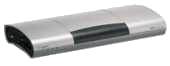
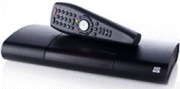
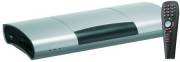
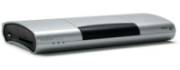
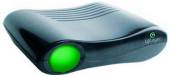
NetGem i-Player
Interactive Freeview Digital TV Receiver
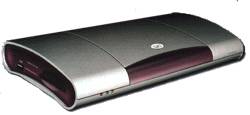
This page contains details of
the NetGem i-Player... an interactive set-top box than can receive free-to-view
digital TV and radio, as well as access the Internet.
The NetGem iPlayer Freeview set-top
box was launched in the UK in November 2002, and has proved to be one
of the best value and most flexible boxes around. Software releases have
appeared roughly every six months adding more features to the box. As
well as the NetGem, a re-badged version from BT became available
in 2004 (adding caller display, and a card slot for subscription services).
Features:
- Access to 60 channels of Freeview TV and radio channels
- Support for digital text and interactive services
- Surf the Internet on your TV screen via a built-in 56k modem (or optional
broadband)
- Access your email on your TV
- Widescreen (auto switch for 16:9 programming)
- Plays MP3 audio files
- Timers for use with your video recorder
- Two SCART sockets and a digital audio output
- 4 built-in games
- Parental lock
- USB cable for external storage, webcam, printer, broadband or wi-fi
- Support for subscription services: Smartcard reader (BT version only) and CAM slot (Not BT version)
- Caller Display (BT version only)
- Optional QWERTY keyboard available .
- Software upgradeable over the Internet, when new features become available
- Dimensions: 310 x 160 x 50mm
|
Availability:
The NetGem is available from
the following sources:
- iPlayer+ (BT branded version):
Discontinued from BT
Shop in Dec 2006. See our iPlayer page for latest availability
- iPlayer 6640 (with hard disk recorder) available for £199 from simply.com (More)
- Evesham iPlayer HD - Hi-Def, 80Gig disk drive / media centre. No longer available - Last seen for £300
- iPlayer+ With Audio Description - A customised version of the iPlayer+ is available, intended for partially-sighted and
blind users. This version includes an Audio Description Tool (describing the on-screen
action). It is available directly from NetGem's iPlayer site
If you have no luck with
the above link(s), call NetGem Direct for a local stockist on
0800 015 30 92, or try www.iplayer.co.uk.
|
Mini-review
(March 2004):
We reviewed
the BT-branded version of the NetGem, and are very impressed with this
little piece of kit. Installation was a breeze - plug into the TV SCART
socket, plug in the TV aerial, plug into the mains, and switch it on.
The box asks you if you want widescreen, takes a few minutes to scan for
channels (showing you the logos of the channels it finds), and then gives
you the option to dial the net (if you have a phone line plugged in),
to check for software updates.
Using the box for watching Freeview channels is flawless - you can browse
a now-and-next listing of all of the channels, and see a small picture
of the channel you're watching while you do this. You can set reminders,
view subtitles, see a programme description and even freeze the on-screen
image. Picture and sound quality are great, and navigating around the
Freeview menus and interactive services is a doddle.

The Now-and-next
screen, and the Info bar
The remote control is a little bit
of an odd shape, but it's a comfortable hold nonetheless, and although
the remote can be used for Internet and email, the optional keyboard can
make all the difference.
We
were initially sceptical about accessing the web and email via the TV
screen and the built-in modem (after some bad experiences with On Mail
some years back), but setup and access was very straightforward. We opted
to use an existing Tiscali dialup account, rather than taking advantage
of the free account that BT offer. Before we could do this, we had to
connect to the phone line and wait for a couple of minutes while the box
dialled a magic number to download some new settings to the box, and check
that we were running the latest software. Once
this was done, we could set
up our own ISP and get surfing. The browser is remarkably well specified,
supporting HTTP1.1, and secure
browsing (using SSL2 and SSL3). The Netgem can't cope with some web services,
such as file download, flash/shockwave or Active X, all of which would
require a drive on which to download files onto, but for general browsing,
this shouldn't present much of a problem.
Access to email (POP3 and SMTP) works well (up to ten accounts are supported),
and there's also FTP file access supported as standard (for use with images
and audio files). For more on connectivity, see our sister site's Connecting
the NetGem page for more.

Web and
email access
The USB port
allows connection of hardware such as printers, hard disk/memory cards,
webcams and broadband or wi-fi adapters. Pictured below is a screenshot
of the NetGem playing an MP3 file from a USB memory stick

Media player
- browsing a USB memory card
Caller
Display
is only supported on the BT-branded version of the NetGem unit. If your
BT line has caller display enabled (a subscription service from BT), you'll
be able to see the number of the person calling you in the top right of
the screen. You can add the name and a photo via the built-in address
book, to see a picture of a caller, as per the screenshot below. For more
on how CLI works, see our sister site's CLI
page.

Caller Display (BT version only)
The NetGem
comes with a small selection of built-in games: These are Block (a Tetris
clone), Solo (marble Solitaire), Tello (marble strategy) and Memo (memory
game). Nothing special, but quite diverting, and a nice free extra not
found on other boxes. These don't require an Internet connection, and are
separate from any games services transmitted over Freeview.
   
Free built-in games
Rounding
off the package, the box comes with built-in help, and for those having
issues with Freeview reception, a useful signal strength meter.

Diagnostics, including signal strength
In summary, it's very difficult
to fault this box, especially at the price (it's cheaper than
many far more basic models). Oddly, the DVB-CI card slot is missing (no
services support this yet, but it's for possible future pay-tv services),
and sadly the box doesn't have an RF modulator, meaning that those without
a SCART socket on their TV and video may not be able to connect. Those minor niggles aside,
we wouldn't hesitate to recommend this bargain!
Outputs:
- Digital optical audio out (S/PDIF) for connection to home cinema systems
- RF in and out (pass-through)
- 2 x SCART sockets (output and pass-through)
- Jack stereo line out
- Telephone jack (RJ11) for Internet access
- USB port (for digital accessories such as printer or webcam)
- Can be used with Broadband
/ Wi-fi for faster
internet connectivity by connecting an ethernet adapter to the USB port
and connecting (via a cable or wirelessly) to your router or PC ethernet port.
- DVBCI socket, card slot ready for any future pay-TV service (Not BT
version).
- Smartcard socket (BT version)

Rear view of the NetGem
Frequently
asked questions
| What
the latest software version number? |
You can check the version
number from Menu > My Adapter > Help > Diagnostics >
My Adapter.
Latest version numbers are as follows:
- BT box: v4.6.23c (Released 23 Sept 2005)
- Netgem box: v4.6.23c (Released 23 Sept 2005)
|
| How
do I update the box software? |
If you connect
to the 'net regularly, your box will check in the background to see
if a new version is available and a menu option will appear to let
you apply the update. To connect and get the latest version without
waiting for auto-detection, it's a case of going to Services >
Internet, and in the "Enter your destination" field, typing
"http://www.netgem.com/upgrade", and then pressing 'OK'.
The box will connect and start downloading the update |
| How
do I add more channels? |
You can set the
NetGem to scan for new channels automatically when the box is in standby,
or do a manual scan for new channels. To do either of these actions,
go to Menu > My Adapter > Preferences > Television > Tuning
in |
| How
do I access the Net? |
We've created a
page of information on this on our sister site - See the NetGem
connectivity page |
| Top
Up TV? |
The
original version of the NetGem (Not the BT version), can be used
with TopUp TV
but you'll need to buy a CAM (Conditional Access Module).
This plugs into the CAM slot and lets you plug a TopUp TV or Setanta Sports
subscription card into the CAM adapter slot. CAMs can be ordered
from Empire
Direct. For more details, see our CAM
section.
For users of the BT version, note that a software
upgrade was released in May 2005 to enable the smartcard socket
for use with Top Up TV. |
| Universal
remote controls |
If you have a universal remote
control, and want the code for the Netgem, read on:
|
| Connection
to phone line |
To connect to the 'net using a dial-up service (as opposed to Broadband or Wi-fi), you'll need to plug your iPlayer into a phone line - but what about if you don't have a phone line close to your set-top box? The common solution is to run a telephone extension cable from your home's Master phone socket - kits are available from Argos and Maplin
Electronics.
If you don't fancy running cables around your house, or messing around banging cleats into your skirting board, there is another option - You can use your home mains wiring to connect to your master phone socket. The Wireless Telephone EXtender from manufacturer One For All provides an instant phone socket without any wiring, and can turn an electrical socket into a phone socket. Easy-to-use and portable. Available directly from Maplin Electronics (Cat No: A82FY) and Amazon.co.uk
|
| PC Share |
If you have a connection
from your NetGem to a PC (via ethernet or wi-fi), you can now use
your NetGem to play MP3 files and view pictures. You'll need to download the special software, which was available from from the netgemplatform.co.uk site, until August 2006. Fortunately, a copy is available on the Yahoo NetGem Group site (you'll need to register) |
| What
about Wi-Fi? |
It's possible to
use the NetGem to connect to the Internet via a Wi-Fi connection (also
known as wireless networking / 802.11b). For information on this,
see the NetGem connectivity
page |
Links:
Comments from our forum visitors:
"radioandtelly.co.uk
together with all it's contributors are due a big thanks from me and my
family! The information I have gleaned from everyone steered me to buying
the BT Digital Adaptor at their offer price of £49.99 inc delivery
(I was about to buy the Nokia 221T, as recommended by Which!). My first
set top box - verdict? Fantastic reception (in a postcode which is not
supposed to be covered) and great features. Thanks again." Paul
Jonson 13 March 2004
"... leaving
the Netgem many streets ahead of all set box makers. You name a feature
and the Netgem now has it." Alasn May
26 2003
"... the box is now very
attractive compared with others and i'd say it was the best one to buy even
if you're not interested in surfing the net with it. Pros:-
* Excellent picture quality, very sharp (tested via RGB scart)
* S-Video or RGB + Composite via Scart
* On screen text and graphics are anti-aliased (smooth)
* Surf the web broadband (USB ethernet adapter required) or dial up
* MHEG (digital text) is fast
* Second scart in/out with RGB passthrough
* Optical SPDIF output
* USB Socket can connect to many different devices
* Video Timers can start video recorder recording automatically via scart
pin 8.
* Firmware updatable over the Internet
Cons:-
* None "
cybersoga May 16 2003
"Despite official advice
that we are not in a reception area,I have just purchased the Netgem i-Player.
Set-up was easy,and fast,and all available channels have been received.
The picture,and sound quality is excellent- even on the ITV,and Channel
5,stations. It is early days with the Netgem,but so far I am very impressed
with the quality of the results,and also with the customer advice line."
Terry Maurice Apr 28 2003
"Netgem's i-player is a
DTTV adaptor with a twist. As well as giving you all Freeview's TV channels
it provides access to the net and email, making it a real all-rounder. This
extra functionality is reflected in the price - £20-40 higher than most
Freeview receivers. This gizmo is a superb performer. Web browsing is a
cinch, though slower than on a PC. DTV pictures and sound are very strong,
and the power under the bonnet ensures that interactive services are speedily
accessed." What Video Widescreen Entertainment Apr 16 2003
"As a digital TV adapter,
the i-Player excels. The i-Player is faster than average... and switching
between the channels is also speedy. That translates to a faster and more
responsive internet experience than with earlier internet TVs. The i-Player
has all the features of an upmarket free-to-air digital terrestrial receiver.
Logging on the internet is as easy as watching TV. Taking into consideration
the target customer, the i-Player is impressive. The all-singing, all-dancing
i-Player is an excellent product
WHAT VIDEO & TV Feb 2003
" Netgem has gone one
better than its competitors . Pictures are superb, crisp, detailed and
stable. Sound is also very good. Should you want to search the Web from
the comfort of your armchair, you can. Entertainment (interactive channel)
includes EastEnders and Fame Academy, while Community has Where I Live
and 10 Downing Street! (Internet) pictures download much faster than on
many PCs. Overall, we were very surprised by how good the internet access
is via the Netgem RATING 8/10" WHAT HOME CINEMA, March 2003
Submitted by: WHAT HOME CINEMA () on: Wed Mar 26 09:50:26
2003 from IP address: 212.234.203.198
Links:
Is this page correct? Something wrong or missing on this page? Report a site problem
Please help us correct the problem and to keep the site up-to-date.
If you're looking for help, please don't use this option - instead ask in our forum |
Copyright © 2002-2008 Radio & Telly. Terms
|