
Having problems receiving Freeview? On this page, we offer help with signal and reception questions.
We have other pages offering help on connecting your box , box questions and questions about the Freeview service. We also have a Freeview forum where you can ask questions or discuss a problem
Issue solver: Freeview Reception
If you’re having a problem getting a Freeview signal on your TV or set-top box, have a look at the suggestions we offer below:
| No channels | Can you see the Freeview menu? – If you can’t see any output from the Freeview box at all, then you’re likely to have either (a) not connected the box correctly or (b) not turned the box on. For help with connection, see our Connection page:
If you can see the Freeview box output, but there are no channels, check the following:
Failing that, it could be that you’re just in a no-signal area. See our section on Freeview coverage. More help? See our No Freeview Channels section
|
| Missing channels | The Freeview channels transmitted on six multiplexes, and in some situations, it’s not possible to get all of these multiplexes, meaning you may be missing channels. If you’re missing just one channel, see our Missing Freeview Channel FAQ, here are some steps to work through, to try to get the channels you’re missing:
There are a number of other reasons why certain channels may not be available, such as:
Suddenly vanished? – If some of your channels have suddenly vanished, it could be that your box has done an automatic scan for new channels and when scanning, couldn’t find some of the channels – maybe because the transmitter is on reduced power, or you experienced some interference. Other reasons for sudden loss of channels include: aerial damage, adverse weather conditions, cabling problems, local interference, or channel changes/renumbering. Sometimes trying another Freeview receiver in the house, or checking a neighbour’s reception can help to identify a problem. In general, the best advice is to ensure your box is getting a decent signal (using the advice on this page), then rescanning for channels. Need more help on missing channels? Ask in our Freeview Problems forum – include the make/model of your Freeview receiver, plus your postcode. |
| Missing a new channel | The above answer outlines what to do if you’re missing groups of channels, but what if you’re just missing one channel – perhaps a new, recently-added channel?
|
| Interference | There’s nothing more annoying than interference, picture drop-out and pixelation when watching your favourite show. When you see these kinds of problem, this is because your receiver isn’t getting a strong clean signal.
We have a page, plus a step-by-step guide, on how to deal with the various causes of interference to Freeview. See our: Dealing With Freeview Interference section for loads of tips and suggestions. |
Checking coverage
To receive Freeview and Top Up TV, you must have a suitable Freeview Set-top box or digital TV, which is capable of receiving a Freeview TV signal via a TV aerial.
here are several coverage predictors available, which use your postcode to assess whether you may get a signal.
- Digital UK: Enter your postcode at digitaluk.co.uk/postcodechecker.
- Freeview’s site: www.freeview.co.uk/availability
- Wolfbane: This is a more detailed coverage predictor, providing useful technical information. Enter your postcode at www.wolfbane.com/cgi-bin/tvd.exe for information on your nearest transmitter, channel numbers and what sort of aerial is advised. See our section on the “Wolfbane Predictor” for help understanding the results
Note that these predictors only provide an estimate of coverage, and can be inaccurate, as a number of factors have to be considered, including local obstructions, whether you’re in a dip or behind a hill, the quality and height of your TV aerial, etc.
It’s fairly safe to assume that if you get a fairly strong signal on the main 5 channels from the same transmitter as a transmitter that offers a digital TV signal, receiving Freeview shouldn’t be a problem in most cases. However, the only true way to find out 100% is to either borrow a friend’s Freeview box to try it out, or contact a TV aerial company and ask them to perform a signal test using your aerial. As below, aerial upgrades and boosters can help to improve a weak signal if needed.
No coverage? If the Freeview, DTG and Wolfbane sites all tell you that coverage is unlikely, or you know you’re on the edge of reception, here are the options:
- Improve your aerial – Getting a good quality aerial of the correct group mounted on your roof and pointed directly at the appropriate digital TV transmitter gives you the best chance of getting a signal. For aerial advice, see our aerial section.
- Consider the alternatives – These include Sky Digital (also offering a Free to view service), Cable or Broadband. See our Digital TV Advice page for our rundown on the options.If you want to find out when you may receive digital TV, you could try the OfCom website, or try contacting the company that maintains your local transmitter (commonly Arqiva), or the TV company responsible for your region, to see if you can find out details of any upcoming improvements. You can find information on UK TV transmitters at the MB21 site
Reception help:
The following table provides help with specific areas outlined on this page:
| Cabling | 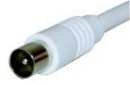 To get the best possible signal, as well as having a good aerial, you need to make sure your internal aerial (co-ax) cabling is up to scratch. To get the best possible signal, as well as having a good aerial, you need to make sure your internal aerial (co-ax) cabling is up to scratch.
Your mission is to get the feed from your aerial into your Freeview box with the minimum of joins, and connecting via the minimum number of other boxes / adapters, to keep down ‘loss’. You also need good quality, undamaged cabling and connectors. Poor cabling, connectors and cheap/damaged ‘flyleads’ is one of the more common problems. If you have TV aerial extension cabling feeding other rooms, or you’re looping your aerial through other TV sets, video/DVD recorders or PC TV cards, then you’re adding potential problems. Connecting to extra TVs, long cable runs, or looping through video recorders can all reduce the signal that’s getting to your Freeview box. Try making the most direct connection possible – connect your Freeview box to the main aerial feed, disconnecting any extensions or video recorders to see if that makes a difference – give the Freeview receiver the best chance of getting a good quality signal. If you need to feed lots of rooms or equipment, you’ll find that an amplified signal booster can help maintain signal when the source is split. If you’re having problems, you may also want to consider replacing any dodgy-looking aerial cable, splitters or connectors, to help eliminate anything that can cause interference. Just replacing your flylead from the aerial socket on your wall to the Freeview box can make a difference. Use a high-quality co-ax aerial cable with gold-plated co-ax connectors (from Maplin), don’t run your aerial cable anywhere near your mains cables, and don’t use longer cables than you actually need. It’s also important to make sure any connectors are a tight fit in their aerial sockets, as loose connectors can cause intermittent signal loss. If your TV aerial feed comes from a wall socket (not just a floating aerial lead coming in through the wall, there’s also a chance that there may be damage to the aerial wiring behind the wall plate (such as the centre core of the aerial cable having snapped). You’ll find Maplin Electronics can provide high-quality aerial parts and RF connectors, including cable with gold-plated connectors. |
| Aerials | 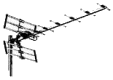
Unless you’re in a very strong signal area, you’ll need a good quality external (roof) aerial to get good Freeview reception. For best results, you should get a good quality aerial of the correct Group, possibly with a masthead amplifier, mounted on your roof and pointed directly at the appropriate digital TV transmitter – this gives you the best chance of getting a good solid signal. Aerial height can make a difference, and the aim is to get “line of sight”, with no buildings / powerlines or other obstructions in the way. You could consider fitting a good aerial yourself (Try Maplin for the parts), or check Yellow Pages for the name and number of some reputable aerial installers and get some comparative quotes. If in doubt, seek professional advice and get the best that you can afford. Some other aerial issues:
For a wide range of aerials, connectors and amplifiers, go to www.maplin.co.uk |
| Aerial Groups | Television in the UK transmitted in a UHF band between 21 and 68. TV aerials are designed to receive certain parts of this band, and an aerial will have a “Group” letter to represent which part of the band it covers. These groups are:
If in doubt, a wideband aerial (Group W) may be the best option – these are optimised to receive TV channels anywhere in the UK TV band. In areas of weak signal, a wideband aerial may not be quite as effective as a high-gain aerial designed for the specific band you’re trying to receive (a mast-head amplifier may be needed to help boost the signal), but in most cases, they’re a good compromise. If you’re looking to upgrade aerial, getting a good quality wideband aerial is usually the thing to do, so that if additional services (such as Freeview) appear elsewhere in the band, you’ll be able to get them. High gain aerials can be used to reduce certain types of problem – including weak signal, interference and ghosting. They do this by getting the most out of the signal. For the best results in weak signal areas, look for a high-gain aerial optimised for the band you want, and ensure that it’s pointed directly at the target transmitter, with sufficient height to clear any obvious obstructions blocking line-of-site to the transmitter. For a wide range of aerials, connectors and amplifiers, go to www.maplin.co.uk |
| Indoor aerials | If you get a strong enough TV signal where you live, receiving Freeview on an internal indoor aerial is perfectly possible, but for better results, an external aerial pointing in the direction of your local Digital TV transmitter is a much better bet. Indoor aerials are less able to pull in signals, and more susceptible to interference from domestic equipment (computers, washing machines, etc). It’s often hit and miss with indoor aerials, and as the transmitters for digital TV operate on a lower power than normal analogue TV transmissions (so as not to interfere with analogue), you’re less likely to get a good digital TV signal from an indoor aerial. As a general rule of thumb, if you get a poor analogue TV signal from an indoor aerial, you don’t stand much of a chance with digital. Entering your postcode into Wolfbane’s coverage predictor gives you an aerial recommendation that can help to give an idea of the effectiveness of an indoor aerial, and a direction to point the aerial.
If you’re looking to get an indoor aerial, there are some test results on Ricability‘s site. One of the indoor aerials to come out top in consumer tests is the Telecam TCE2001 – this is available from Argos, priced under £20 (Cat: 534/4008). As well as Argos, it’s worth looking at the range of indoor aerials at Maplin Electronics – We’ve had recommendations that Maplin’s High Gain Indoor Digital Aerial with Amplifier (Cat: A95GT) performs well. If you have a roof aerial, but not in the required room, consider running a cabled extension. Aerial extension kits are easy to do, and are available for a low price at Maplin Electronics. |
| Boosters | 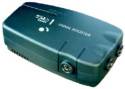 Signal boosters are small boxes are mains-powered devices that you plug your TV aerial into, and that amplify the incoming TV signal. In some cases, a mains-powered booster can help to improve your Freeview signal, but it’s important to understand that if your aerial’s only capable of getting a weak or noisy signal, the booster won’t have enough signal to boost, and it will also be boosting the “noise” as well as the signal. Signal boosters are small boxes are mains-powered devices that you plug your TV aerial into, and that amplify the incoming TV signal. In some cases, a mains-powered booster can help to improve your Freeview signal, but it’s important to understand that if your aerial’s only capable of getting a weak or noisy signal, the booster won’t have enough signal to boost, and it will also be boosting the “noise” as well as the signal.
Where boosters can be of help, is situations where you’re feeding your Freeview signal to multiple TV sets around the house, or to lots of bits of equipment. They can ensure that there’s minimal “loss” as the signal passes through other bits of equipment or indoor cabling, and many boosters have multiple amplified outputs to support feeding other equipment and rooms. For more on signal boosters and amplifiers, see our Freeview Boosters page |
| Scanning for channels | Occasionally, the Freeview channel lineup changes – new channels are added, or old ones deleted – if you’re not getting the channels you’re expecting, try scanning for new ones. If you’ve recently moved, or you’re using an old onDigital/itvDigital box again for the first time, you’ll also need to do perform a channel scan, to pick up the current channel lineup from your local transmitter.
How you do a channel re-scan varies from box to box, but if you look through your Freeview receiver’s onscreen menu, you should find an option called something like “store channels”, “channel search”, “new channels”, “scan for channels”, or something similar. If you’re not sure of how to scan, refer to your Freeview receiver’s manual. More help: See our How to Retune Freeview section |
| Wolfbane Predictor | The Wolfbane Digital TV coverage site offers some excellent information on receiving digital TV in the UK, but it’s designed for those with a technical understanding of how it all works.
If you want help on using Wolfbane, and understanding the results, see our Coverage page You’ll find Wolfbane’s site at www.wolfbane.com/cgi-bin/tvd.exe |
| TV regions | The UK is divided up into a number of geographical TV regions (e.g. London, East Anglia, Scotland, Southern England, etc). If you live on the edge of a region, it’s probable that you’ll be able to receive more than one region (as you may be in the coverage area of more than one transmitter). This means that the ITV channel isn’t necessarily the one you expect (or want), or you get BBC regional programmes that you weren’t expecting. This is because when your Freeview box does a scan for channels, it makes a decision about which is the most appropriate region (based on signal strength/quality). Sometimes some of the other regions also get added to channel list, but get assigned a higher TV channel number, so take a look through the full channel list.
If you’re not getting the region you want, it’ll be a case of making sure that your TV aerial is pointing at the appropriate digital TV transmitter, and that you have a suitable aerial group to receive that transmitter’s channels. An aerial installer can help with ensuring that your aerial receives the required regional channels. More on aerials. |
| Reception on different boxes | We sometimes hear from Freeview users that have two or more boxes in their homes – one of them works perfectly, and gets all channels, and the other doesn’t, or is missing some of the channels. There are several reasons why this can happen:
Most commonly, it’s down to your aerial cabling – the signal goes in to your first Freeview box, then through your TV, video recorder, and then down 20 metres of aerial cable to a second Set-top box elsewhere in the house. By the time it’s done that trip, loss through cable has reduced the signal. This of course is a lot worse if there are a lot of joins in the cable, or it’s cheap aerial cabling. The advice under Cabling applies. An amplified booster is often worth looking at too – as these can split and amplify signals to service multiple boxes, and should be your first focus. Something else to consider: Not all Freeview boxes are the same – some are better made than others, and are better at handling a weaker signal. Perhaps try swapping the boxes around to see if that helps. |
| Portable TVs | Freeview will work on a portable TV set, however see our note above about indoor aerials. Also, note that if the portable set doesn’t have a SCART socket, you will need a box with a modulated output |
| Top Up TV | The subscription channels offered by TopUp TV are transmitted in the same way as Freeview (over the air for reception via a TV aerial and suitable box). The channels are transmitted on Multiplex A … Channel 5 on Freeview is also on Multiplex A, so if you’re able to receive Channel 5 on a Freeview box that has a suitable slot for a subscription card, then you shouldn’t have a problem receiving TopUp.
See our TopUp TV page for more information, or our Freeview Coverage advice page for help on getting Multiplex A. |
| Box interferes with other channels | After connecting a Freeview set-top box into your setup for the first time, it’s not uncommon to find that when it’s switched on, you lose one of the channels that you have tuned in your TV in to receive. A common example of this, is when you switch on your Freeview box, you lose the ability to watch Channel 5 or the video. This means that your video or set-top box is broadcasting (known as ‘modulating’) on the same channel number as another channel that’s already in use, and the clash generates interference. This kind of clash was common with video recorders when Channel 5 started… many video recorders had to be retuned so that Channel 5 didn’t interfere with the video recorder signal.
Each ordinary TV signal (BBC1, BBC2, etc) is on a dedicated channel (a number between 21 and 68), and you need to tune your TV preset buttons into each channel. Many set-top boxes and video recorders have an aerial output with a ‘modulator’ – this means that it’s capable of generating its own channel (between 21 and 68), which you have to tune a TV preset into. If you are experiencing interference because of a clash like this, you’ll need to change the channel that the box or video broadcasts on. You’ll find details of how to do this in the box/video’s manual (look for RF modulated output channel, or UHF channel – something like that). Note that this is only a problem if you’re trying to watch via standard TV channels, as opposed to a SCART feed from your set-top box or video (as SCART connections don’t use a TV channel). If your TV / video has a SCART socket, using this may be a much better bet than a modulated feed via an aerial lead, especially in quality terms, and to remove the chance of interference or clashes, you may wish to disable the set-top box’s RF modulator altogether. See our Connection section for help on setting up your set-top box, video and TV using SCART leads. |
| Postcode predictor accuracy | Postcode-based predictors (covered here) can only give an estimate of likely coverage. The database doesn’t know whether homes have basic or high-quality aerials, whether a person in that postcode lives in a house, ground-floor flat, or a bungalow, or whether there or obstructions blocking a clear line to the transmitter – so it provides an estimate based on likely signal strength in the area. These estimates tend to be conservative – after all, if a postcode is listed as “ok for Freeview” and 50 people rushed out to buy Freeview boxes, only to find that they don’t get a signal, then that’s 50 customers looking for a refund.
Properties in a postcode that have decent aerials, correctly aligned, perhaps with an amplifier, may be able to get a decent signal when the predictor says that Freeview reception shouldn’t be possible. |
| Freeview via cable? | If you get your TV from a cable provider Virgin Media (formerly NTL / Telewest), you won’t be able to watch Freeview on a Freeview set-top box using your cable TV aerial wiring – this is because cable companies don’t send digital terrestrial TV signals down their cable system. To get Freeview, you need to connect a Freeview box (or digital TV set) to a standard TV aerial that’s pointing at a digital TV transmitter. |
| Help? If your question hasn’t been answered, or you’d like more help, please post your question in our Freeview forum |

Other links:
- Set top box problems – Help with set-top box issues
- Connection problems – Help with getting your equipment connected correctly
- Help forum – Got a problem our FAQs can’t help with? Ask on our discussion board

Would a separate aerial solve the problem of a long cable extension. I only can receive limited channels on freeview
Hello, 16th Oct 2014.
I used to be able to get the excellent Bonanaza Bonanaza on Freeview until without warning was taken off. I would be most grateful to learn if it will be coming back on Freeview as it really has been missed.Trust you can help,Many thanks Joseph,Glasgow.. josephldodds@yhoo.co.uk
Unable to get any sound on freeview but there is sound on other channels
problems getting some freeview channels on my tv with built in freeview which is 14 years old could this be a problem
Why is itvbe breaking up but no other channel is?
I am getting interference on my TV from the person in the next room (shared house) playing online games, he refuses to listen to reason so I am relegated to watching dvds instead.