
| No Freeview Channels? Missing Freeview Channels TV Interference Freeview Coverage Indoor TV Aerials |
Advice on Retuning Freeview Signal Boosters Recording Freeview Freeview Reception Help TV Connectors |
On this page we offer some practical tips on dealing with missing Freeview channels…
First off, click on one of the following to describe your problem:



Not getting all the Freeview channels?
Freeview’s TV channels are transmitted on six different ‘blocks’, known as Multiplexes. If you’re able to get some channels, but not others, it could be you’re having a problem with one or two of the multiplexes:
- PSB1 includes: BBC1, BBC2, BBC3
- PSB2 includes: ITV1, Channel 4, Channel 5
- PSB3 is for the HD channels
- COM4 includes: ITV3,Home, QVC, Top Up TV
- COM5: includes: Pick TV, Dave and Really
- COM6 inlcudes: Yesterday, Film 4, Viva
Work out which multiplexes you’re not getting, then read on. There’s a full channel and multiplex list here: Freeview channels
Things to check:
| 1. Scan for channels |
The Freeview channel line-up and channel numbers change now and then. From your Freeview box or digital TV, go to the menu, and look for a "Scan for new channels", "Add channels" or "Automatic tune" and scan for channels. If you’re not sure on how to scan for channels, look in the manual. Help on scanning for channels |
| 2. Check your Freeview coverage |
Are you able to get all of the Freeview channels where you live? Not all of the UK can yet receive all of the Freeview channels. Check that all of the Freeview channels are actually available in your area, using a postcode checker. Enter your postcode at www.freeview.co.uk/availability See our "Freeview coverage" section for help. |
| 3. Relay transmitter? |
Do you get your Freeview from a small local relay transmitter? If so, you may not be able to get all of the channels. Around 90% of UK homes will be able to get all of the Freeview channels, but there are some homes that rely on a ‘relay’ transmitter for their Freeview signal. Relay transmitters are often used in small rural areas where signals from a larger transmitter aren’t good – typically where signals are blocked by hill or mountains, or where homes are in a dip or a valley. Smaller relay stations upgraded for the digital switchover are only able to transmit three of the Freeview multiplexes, the Public Service Broadcast ones, so those using a relay transmitter will be able to see services such as BBC One, BBC Two, ITV, Channel 4 and Channel 5, but not channels such as Dave, Sky News, Yesterday and Film 4. |
| 3. Check other rooms / aerial connectors |
If you have more than one Freeview receiver, and/or more than one aerial point in the house, try a few experiments
|
| 4. Check your signal strength |
If your signal is weak, but you’re meant to be in a decent signal area, then that points to a potential problem with your aerial , or an issue with your cabling. In some cases a signal booster can also help to improve a poor signal. |
| 5. Check your cabling |
If you have lots of aerial extension leads, splitters and adapters, this can affect your signal quality. Using long extension leads can also affect your signal. ‘Looping’ your aerial feed through lots of equipment, such as video or DVD recorders can weaken the signal too. Give your receiver the best chance at getting a quality signal – See our cabling advice to eliminate any weak links in your cabling. It’s often worth trying a basic connection, bypassing any extension cables, splitters, recorders, etc. Connect the main house aerial direct to your Freeview receiver – if a basic connection works, it could indicate a cabling issue. |
| 6. Could something be interfering with your signal? |
There are several factors that can affect your signal and cause interference, including cabling problems, weather conditions, electrical appliances, taxicabs, passing cars, scaffolding, etc. Normally this is shown as picture break-up, pixelation or loss of sound, but it can cause you to lose channels if it’s particularly bad Go through the steps on our "Interference" page if you’re suffering from this. |
| 7. Are your neighbours affected? |
It might be worth checking whether your neighbours are affected. If they can get the channels you’re missing without a problem, and their aerial is pointing at the same transmitter, that may confirm that the problem is with your aerial or aerial cabling. |
| 8. Check for transmitter problems |
Double-check whether there’s any transmitter work being done in your area that might affect you. The BBC have a handy Transmitter Maintenance Page. Not sure which transmitter is nearest? Check at Wolfbane.com |
| 9. Is your aerial good enough? |
For best results, you need a good quality rooftop aerial, pointing at the appropriate digital TV transmitter. Indoor aerial: Set-top indoor aerials and loft aerials often are not up to the job For aerial advice, see our aerial section. If you find that you just can’t receive channels on a certain multiplex, there’s a chance that your aerial isn’t capable of tuning in some of the Freeview signals. Check the ‘band’ that missing multiplex is in (using Wolfbane.com), and verify whether your aerial is designed to work with that frequency ‘band’. It could be that the Freeview channels are outside that band – For more on this, see our Aerial Group section. |
| 10. Could your other TV kit be blocking your signal? |
Some equipment, such as video recorders and Sky digiboxes use something called a modulator to ‘broadcast’ a signal that equipment like a TV set can tune into. In some cases, the channel number used to modulate on (a number from 21-68) can be the same as one of the Freeview multiplex channel numbers. To test if there’s a chance of this, try removing other equipment – making the connection as simple as possible. Connect the TV aerial to Freeview box, then a SCART to the TV (cutting out other boxes and video recorders). If the missing channels appear, then it could be a channel clash and you may need to re-tune the modulator to a new channel. |
| 11. Could your signal be too strong? |
If you live close to your TV transmitter, you might find that your Freeview box or TV is getting too much signal and this could be ‘overloading’ your receiver. If this is the case, you may need to get an Aerial attenuator. These plugs into the aerial socket and reduce the incoming signal. Also, if you needed a signal booster prior to the Digital Switchover, you may no longer need this, and should experiment with removing the booster to reduce the signal. |
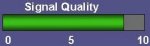 Many Freeview boxes and digital TV sets let you see an on-screen display of your signal strength.
Still can’t get all channels? Ask for more help
Freeview Channels Suddenly Vanished?
Suddenly lost some or all of your Freeview channels? It’s possible that there’s a fault at your local TV transmitter, but more likely, it’s something in the house – cabling, box problem, aerial, etc.
Here’s some advice on what to check for:
| 1. Check aerial connectors and reboot |
Check that your aerial is plugged in to the Freeview receiver correctly. If possible, make a direct connection to the TV aerial (i.e. nor via adapters, or looped through other TV equipment). Also – reset your receiver – If you are using a Freeview set-top box, switch it off at the mains for 30 seconds, then turn it on again. |
| 2. Scan for channels |
The Freeview channel line-up and channel numbers changes now and then, and you may need to update your channel list. If a channel has vanished, perhaps it’s no longer broadcasting? Also, occasionally channels get renumbered, are renamed, or move to a different channel block (known as a multiplex). Check our Freeview channel list, and also see our Freeview News Page for announcements of changes to the Freeview lineup. If it’s just one or two channels that are missing, you may find that you need to get your Freeview box or TV to ‘rescan‘ for the Freeview channels. This means that it will search for changes to the lineup and update the channel list. To do this, go to the on-screen menu, and look for a "Scan for new channels", "Add channels" or "Automatic tune" option. Sometimes, you may have to try this a couple of times, or reset your box first. Need help with rescanning? |
| 3. Others in your area affected? |
Are your neighbours affected too? Is there any transmitter work being done in your area that might affect you – check the BBC Transmitter Maintenance Page to see if there’s something that is affecting your local transmitter. Not sure which transmitter is nearest to you? Check by entering your postcode at Wolfbane.com |
| 4. Try a second receiver |
If you have more than one Freeview receiver in the house – check whether the channels are also missing on a second receiver. That can help to identify what the problem is.
|
| 5. Just one box affected? |
If it’s only one Freeview receiver that’s affected, and others in the house are OK, then check the aerial cabling to make sure all is well. It could be that if you’re splitting the signal to multiple TV sets, you are experiencing "signal loss" through the cabling. A boosted splitter can help in these situations. See our Boosters page. |
| 6. Aerial problem? |
Any chance of aerial damage? Rain in the aerial cable, or wind dislodging your aerial will have an affect on your signal quality. Worth checking your aerial is where it should be, and that the aerial cable has not been damaged. |
| 7. Cabling problem? |
Check the path from your aerial to your receiver:
If in doubt, try a basic connection. Connect aerial to receiver, then receiver-to-TV (bypassing any other equipment, connectors, splitters or boosters). |
| 8. How’s the weather? |
Storms, heavy rain and snow can affect your signal. Some of our interference tips may help if this affects your viewing regularly. |
| 9. Check for Interference |
There are several factors that can affect your signal and cause interference, including cabling problems, weather conditions, electrical appliances, taxicabs, passing cars, scaffolding, etc. Normally this is shown as picture break-up, pixelation or loss of sound, but it can cause you to lose channels if it’s particularly bad Go through the steps on our "Freeview Interference" page if you’re suffering from this. |
Need more help?
If you’ve tried advice above, and are still missing Freeview channels, try the following:
- Ask for help in our Freeview Problems forum – Please include your postcode, the channels you’re missing, plus the make and model of your Freeview receiver, as this helps the forum regulars provide relevant advice. It’s also helpful to list what you’ve already tried.
- Alternatively, contact a local CAI-approved aerial installer and get them to take a look at your set-up and measure your signal strength – they can help with appropriate recommendations.
